
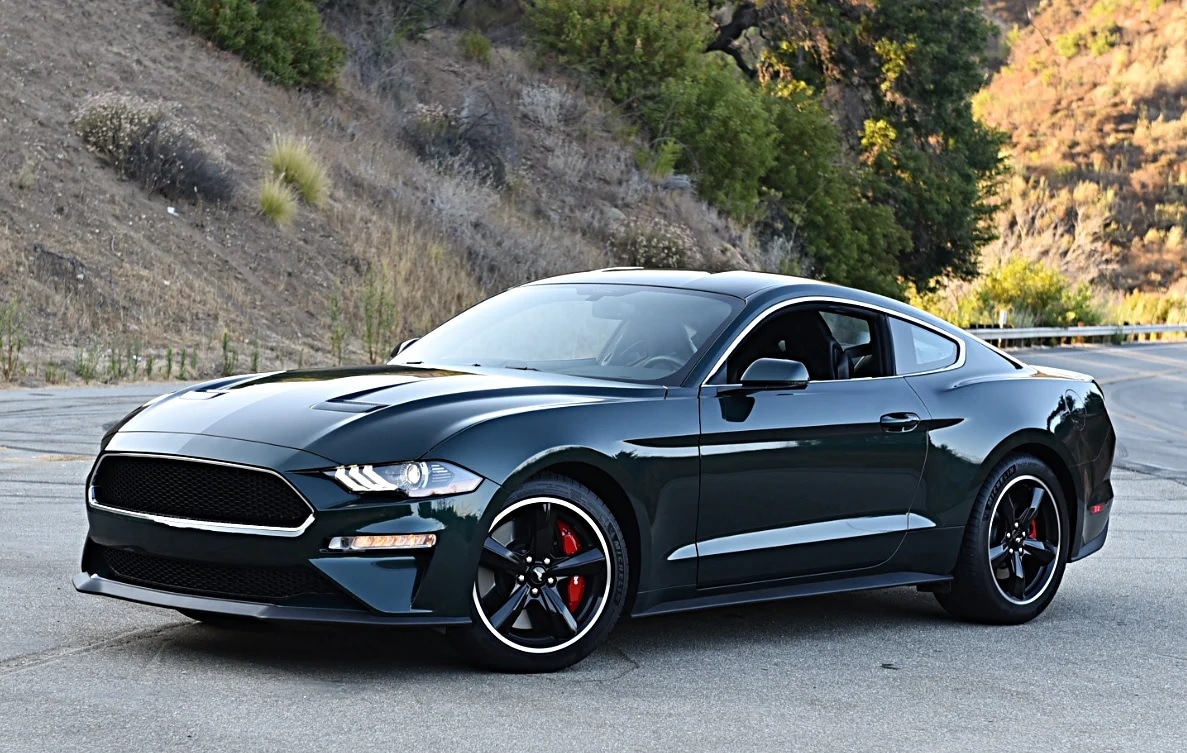

2020 FORD Mustang Keys and Doors Key User Guide
This guide will help you understand the 2020 Ford Mustang’s keys and door systems, including smart key functions, locking mechanisms, security features, common issues, and practical usage tips for daily driving, maintenance awareness, and confident access management without confusion, delays, or unnecessary dealership visits.
Keys and Remote Controls
GENERAL INFORMATION ON RADIO FREQUENCIES
This device complies with Part 15 of the FCC Rules and with Industry Canada license-exempt RSS standard(s). Operation is subject to the following two conditions: (1) This device may not cause harmful interference, and (2) This device must accept any interference received, including interference that may cause undesired operation.
WARNING:
Changes or modifications not expressively approved by the party responsible for compliance could void the user’s authority to operate the equipment. The term “IC:” before the radio certification number only signifies that Industry Canada technical specifications were met. The typical operating range for your transmitter is approximately 33 ft (10 m). Vehicles with the remote start feature will have a greater range. One of the following could cause a decrease in operating range:
- Weather conditions.
- Nearby radio towers.
- Structures around the vehicle.
- Other vehicles parked next to your vehicle.
The radio frequency used by your remote control can also be used by other radio transmitters, for example amateur radios, medical equipment, wireless headphones, wireless remote controls, cell phones, battery chargers and alarm systems. If the frequencies are jammed, you will not be able to use your remote control. You can lock and unlock the doors with the key.
Note: Make sure to lock your vehicle before leaving it unattended.
Note: If you are in range, the remote control will operate if you press any button unintentionally.
Note: The remote control contains sensitive electrical components. Exposure to moisture or impact may cause permanent damage.
Intelligent Access
The system uses a radio frequency signal to communicate with your vehicle and authorize your vehicle to unlock when one of the following conditions are met:
- You activate the front exterior door handle switch.
- You press the luggage compartment button.
- You press a button on the transmitter.
If excessive radio frequency interference is present in the area or if the transmitter battery is low, you may need to mechanically unlock your door. You can use the mechanical key blade in your intelligent access key to open the driver door in this situation.
REMOTE CONTROL
Intelligent Access Key Note: You may not be able to shift out of park (P) unless the remote control is inside your vehicle. The remote control operates the power locks and the remote start system. The key must be in your vehicle to use the push button start.
Removable Key Blade The remote control also contains a removable key blade that you can use to unlock your vehicle.
 Note: Your vehicle keys came with a security label that provides important key cut information. Keep the label in a safe place for future reference.
Using the Key Blade The key cylinder is under a cap on the driver door handle. To remove the cap
- Insert the key blade into the slot on the bottom of the handle and apply upward pressure.
- While maintaining upward pressure, move the cap rearward to release it. Gently remove the key while doing so.
To install the cap:
- Place the cap just forward of the key cylinder.
- Applying pressure to the cap, move it forward until it is in place. You may hear a snap as it engages.
Make sure you have properly installed the cap by trying to move it rearward.
Replacing the Battery
WARNING: Keep batteries away from children to prevent ingestion. Failure to follow this instruction could result in personal injury or death. If ingested, immediately seek medical attention.
WARNING: If the battery compartment does not securely close, stop using the remote control and replace it as soon as possible. In the meantime, keep the remote control away from children. Failure to follow this instruction could result in personal injury or death. A message appears in the information display when the remote control battery is low. The remote control uses one coin-type three-volt lithium battery CR2450 or equivalent.
- Push the release button and pull the key blade out.

- Twist a thin coin under the tab hidden behind the key blade head to remove the battery cover.

- Insert a suitable tool, for example a screwdriver, in the position shown and carefully remove the battery. Note: Refer to local regulations when disposing of remote control batteries. Note: Do not wipe off any grease on the battery terminals or on the back surface of the circuit board. Note: Replacing the battery does not erase the programmed key from your vehicle. The remote control should operate normally.
- Install a new battery with the + facing upward.
- Reinstall the battery cover and the key blade.
Car Finder Press the button twice within three seconds. The horn sounds and the direction indicators flash. We recommend you use this method to locate your vehicle, rather than using the panic alarm.
Sounding the Panic Alarm Press the button to sound the panic alarm. Press the button again or switch the ignition on to turn it off.
Note: The panic alarm only operates when the ignition is off. Memory Feature You can program your intelligent access key to recall memory positions
REPLACING A LOST KEY OR REMOTE CONTROL
Replacement keys or remote controls can be purchased from an authorized dealer. Authorized dealers can program remote controls for your vehicle.
MyKey™
WHAT IS MYKEY
MyKey allows you to program keys with restricted driving modes to promote good driving habits.
MYKEY SETTINGS NON-CONFIGURABLE MYKEY SETTINGS
Seatbelt Reminder or Belt-Minder™ MyKey mutes the audio system until the drivers, and in some instances, passengers, fasten their seatbelts.
Note: If your vehicle includes an AM/FM radio or a very basic audio system, then the radio may not mute.
Satellite Radio
Satellite radio adult content restrictions.
Early Low Fuel: The low fuel level warning lamp turns on earlier.
Driving and Parking Aids
Parking aids, blind spot information system and cross traffic alert turn on when you start the engine and cannot be switched off with a MyKey. Pre-collision assist and lane keeping alert turn on when you start the engine, but can be switched off with a MyKey. A new destination in the navigation system can only be set using voice commands when using a MyKey, and with your vehicle moving.
Note: MyKey drivers may be able to turn the lane departure warning feature off, but this feature turns back on automatically with every new key cycle.
CONFIGURABLE MYKEY SETTINGS You can configure the following settings after creating a MyKey.
Speed Limit
WARNING: Do not set MyKey maximum speed limit to a limit that will prevent the driver from maintaining a safe speed considering posted speed limits and prevailing road conditions. The driver is always responsible to drive in accordance with local laws and prevailing conditions. Failure to do so could result in accident or injury. You can set a speed limit for your vehicle. Warning messages appear in the information display and a tone sounds if your vehicle reaches the set speed. You cannot override the set speed when using a MyKey.
Speed Reminder You can set a speed reminder for your vehicle. Warning messages appear in the information display and a tone sounds if your vehicle exceeds the set speed.
Audio System Volume Limit The audio system maximum volume is reduced. A message appears in the information display if you attempt to exceed the volume limit. Automatic volume control turns off.
Emergency Assistance If you set emergency assistance to always on, you cannot switch it off with a MyKey.
Do Not Disturb If you set do not disturb to always on, you cannot switch it off with a MyKey. Note: If a phone is connected using Apple CarPlay or Android Auto while driving with a MyKey, the driver can receive phone calls and text messages even if the do not disturb restriction is on. If the vehicle comes with satellite radio, the adult content is not restricted.
Traction Control If you set traction control to always on, you cannot switch it off with a MyKey.
CREATING A MYKEY

- Remove the rubber covering (A) in the cupholder.
- Place the remote control in the backup slot (B) with the buttons facing up and the key ring toward the front of your vehicle.
- Switch the ignition on.
- Using your touchscreen, press Menu.
- Press Settings.
- Press Vehicle.
- Press MyKey.
- Press Create MyKey.
- Press Yes if you want to create the key as MyKey. A confirmation message appears on the screen.
- Switch the ignition off.
Note: We recommend that you label this key.
PROGRAMMING A MYKEY You can only program each MyKey to the same settings.
- Switch the ignition on using an admin key.
- Select Settings and press the menu button.
- Select Settings.
- Select MyKey.
- Select a setting and press the OK button.
- Configure the setting.
- Switch the ignition off.
CLEARING ALL MYKEYS When you clear all MyKeys, you remove all restrictions and return all MyKeys to their original admin key status.
- Switch the ignition on using an admin key.
- Using your touchscreen, press Menu.
- Press Settings.
- Press Vehicle.
- Press MyKey.
- Press Clearing All MyKeys.
- Press Yes to clear all MyKeys from your vehicle.
CHECKING MYKEY SYSTEM STATUS You can find information about the distance traveled using a MyKey, and the number of admin keys and MyKeys created for your vehicle.
- Switch the ignition on.
- Press Settings on the touchscreen.
- Press Vehicle Settings.
- Press MyKey.
- Press MyKey Information.
- Switch the ignition off.
USING MYKEY WITH REMOTE nSTART SYSTEMS MyKey is not compatible with unapproved, aftermarket remote start systems. If you choose to install a remote start system, see an authorized dealer for an approved remote start system.
MYKEY – TROUBLESHOOTING
MYKEY – INFORMATION MESSAGES
| Condition | Potential Causes |
| I cannot create a MyKey. |
|
| I cannot program the configurable settings. |
|
| I cannot clear the MyKeys. |
|
| I lost the only admin key. | Purchase a new key from an authorized dealer. |
| I lost a key. | Program a spare key. See Passive Anti-Theft System (page 66). |
| MyKey distances do not accumulate. |
|
| No MyKey functions with the keyless entry transmitter. |
|
MYKEY – FREQUENTLY ASKED QUESTIONS
What is an admin key?
An admin key is a key that you have not created as a MyKey.
Why am I not able create a MyKey?
- You did not place the admin key in the backup position.
- You did not use an admin key to switch the ignition on.
- The key used to switch the ignition on is the only admin key. At least one key needs to remain as an admin key.
- You did not switch the ignition off after creating the last MyKey.
Why am I not able to program a MyKey?
- The admin key is not inside your vehicle.
- The key used to switch the ignition on is not an admin key.
- You have not created any MyKeys.
Why am I not able to clear the MyKeys?
- The admin key is not inside your vehicle.
- The key used to switch the ignition on is not an admin key.
- You have not created any MyKeys.
Doors and Locks
LOCKING AND UNLOCKING You can use the power door lock control or the remote control to lock and unlock your vehicle
Note: Do not use the door latch assembly to attach any accessory, such as handles or steps, as this can cause damage to your vehicle.
Power Door Locks The power door lock control is on the driver and front passenger door panels.
- A Unlock.
- B Lock.
Door Lock Indicator An LED on each door window trim illuminates when you lock the door. It remains on for up to 10 minutes after you switch the ignition off.
Door Lock Switch Inhibitor When you electronically lock your vehicle, the power door lock switch no longer operates after 20 seconds. You must unlock your vehicle with the remote control, or switch the ignition on, to restore function to these switches. You can switch this feature on or off in the information display.
Remote Control You can use the remote control at any time. The luggage compartment release button only works when your vehicle speed is less than 5 mph (8 km/h).
Unlocking the Door Press the button to unlock the driver door. Press the button again within three seconds to unlock all doors. The direction indicators flash.
Note: You can unlock the driver door with the key blade if the remote control is not functioning.
Note: When you leave your vehicle unattended for several weeks, remote unlocking turns off. Unlock your vehicle using the key blade, then start your vehicle to restore the remote unlocking function.
Reprogramming the Unlocking Function You can reprogram the unlocking function so that all doors unlock. Press and hold both the lock and unlock buttons on the remote control for three seconds to change between driver door or all doors unlock mode. The direction indicators flash twice to confirm the change. Driver door mode only unlocks the driver door when you press the unlock button once. All door mode unlocks all doors when you press the unlock button once. The unlocking mode applies to the remote control and intelligent access. You can also change between the unlocking modes using the information display.
Locking the Doors

Mislock
If any door or the luggage compartment is open, or if the hood is open on vehicles with an anti-theft alarm or remote start, the horn will sound twice and the direction indicators do not flash. You can switch this feature on or off in the information display.
Opening the Luggage Compartment Press twice within three seconds to open the luggage compartment. Make sure to close and latch the luggage compartment before driving your vehicle. Objects may fall from an unlatched luggage compartment. An unlatched luggage compartment may block your rear view.
Activating Intelligent Access
General Information You can unlock and lock the vehicle without taking the keys out of your pocket or purse when your intelligent access key is within 3 ft (1 m) of your vehicle. Intelligent access uses a sensor on the back of the door handle for unlocking and a separate sensor on the face of each door handle for locking. The system does not function if:
- Your vehicle battery has no charge.
- The key battery has no charge.
- The key frequencies are jammed.
Note: The system may not function if the key is close to metal objects or electronic devices, for example keys or a cell phone.
Note: If the system does not function, use the key blade to lock and unlock your vehicle.
Unlocking Using Intelligent Access With your intelligent access key within 3 ft (1 m) of your vehicle, touch the unlock sensor on the back of the door handle for a brief period and then pull on the door handle to unlock, being careful to not touch the lock sensor at the same time or pulling the door handle too quickly. The intelligent access system requires a brief delay to authenticate your intelligent access key fob.
Locking Using Intelligent Access
Opening the Luggage Compartment Press the exterior release button hidden above the license plate.
Smart Unlocks This feature helps to prevent you from unintentionally locking your intelligent access key inside your vehicle’s passenger compartment or luggage compartment. When you electronically lock your vehicle with any door open, your vehicle in park and the ignition off, your vehicle searches for an intelligent access key in the passenger compartment after you close the last door. If your vehicle finds a key, all of the doors immediately unlock and the horn sounds twice, indicating that a key is inside. You can override the smart unlock feature and intentionally lock the intelligent access key inside your vehicle. To do this, lock your vehicle after you have closed all the doors by:
- Pressing the lock button on another intelligent access key.
- Touching the locking area on the handle with another intelligent access key in your hand.
When you open one of the front doors and lock your vehicle using the power door lock control, all doors lock then unlock if:
- The ignition is on.
- The ignition is off and the transmission is not in park (P).
Autolock Autolock locks all the doors when:
- All doors are closed.
- The ignition is on.
- You shift into any gear putting your vehicle in motion.
- Your vehicle reaches a speed greater than 12 mph (20 km/h).
Autolock repeats when:
- You open then close any door while the ignition is on and your vehicle speed is 9 mph (15 km/h) or lower.
- Your vehicle reaches a speed greater than 12 mph (20 km/h).
Autounlock Autounlock unlocks all the doors when:
- The ignition is on, you have closed all the doors, and your vehicle has been moving at a speed greater than 12 mph (20 km/h).
- Your vehicle comes to a stop and you switch the ignition off or to the accessory position.
- You open the driver door within 10 minutes of switching the ignition off or to accessory.
- Note: The doors do not autounlock if you electronically lock your vehicle after you switch the ignition off and before you open the driver door.
Enabling or Disabling Autounlock
- You can enable or disable the autounlock feature in the information display or an authorized dealer can do it for you.
- Locking and Unlocking the Doors with the Key Blade Turn the top of the key toward the front of your vehicle once to lock all doors.
- Turn the top of the key toward the rear of your vehicle once to unlock the driver door only.
Locking the Doors Individually If the central locking function does not operate, lock the doors individually using the key in the position shown.
Left-Hand Side Turn clockwise to lock.
Right-Hand Side Turn counterclockwise to lock.
Unlocking the Doors If the central locking function does not operate, unlock the driver door and then unlock all other doors individually by pulling the interior door handles.
Note: If you have unlocked the doors using this method, you must lock the doors individually to restore the central locking function.
Unlocking the Luggage Compartment (Convertible Only)
Opening the Luggage Compartment
From Inside Your Vehicle Press the button on the instrument panel to open the luggage compartment.
From Outside Your Vehicle
Illuminated Entry The interior lamps and select exterior lamps illuminate when you unlock the doors with the remote entry system. The illuminated entry system turns off the lights if:
- The ignition is on.
- You press the remote control lock button.
- After 25 seconds of illumination. The lights do not turn off if:
- You switch them on with the lamp control.
- Any door is open.
Illuminated Exit: The interior lamps and select exterior lamps illuminate when all doors are closed and you switch the ignition off. The lamps turn off if all the doors remain closed and:
- After 25 seconds elapse.
- You press the START/STOP button.
Battery Saver
If you leave on the courtesy lamps, dome lamps or headlamps, the battery saver turns them off 10 minutes after you switch off the ignition.
Accessory Mode Battery Saver for Intelligent Access Keys If you leave your vehicle in the run ignition state, it turns off once it detects a certain amount of battery drain or after 45 minutes.
INTERIOR LUGGAGE COMPARTMENT RELEASE
WARNING:
Keep vehicle doors and luggage compartment locked and keep keys and remote transmitters out of a child’s reach. Unsupervised children could lock themselves in the trunk and risk injury. Children should be taught not to play in vehicles.
WARNING: Do not leave children or animals unattended in the vehicle. On hot days, the temperature in the trunk or vehicle interior can rise very quickly. Exposure of people or animals to these high temperatures for even a short time can cause death or serious heat-related injuries, including brain damage. Small children are particularly at risk. Your vehicle is equipped with a release handle that provides a means of escape for children and adults if they become locked inside the luggage compartment. Adults should familiarize themselves with the operation and location of the release handle. The handle is located inside the luggage compartment either on the luggage compartment door (lid) or near the tail lamps. It is composed of a material that will glow for hours in darkness following brief exposure to ambient light. Pull the handle and push up on the luggage compartment door (lid) to open from within the luggage compartment.
Useful Links:
2024 Ford Mustang Review, Price, Features and Mileage (Brochure)