
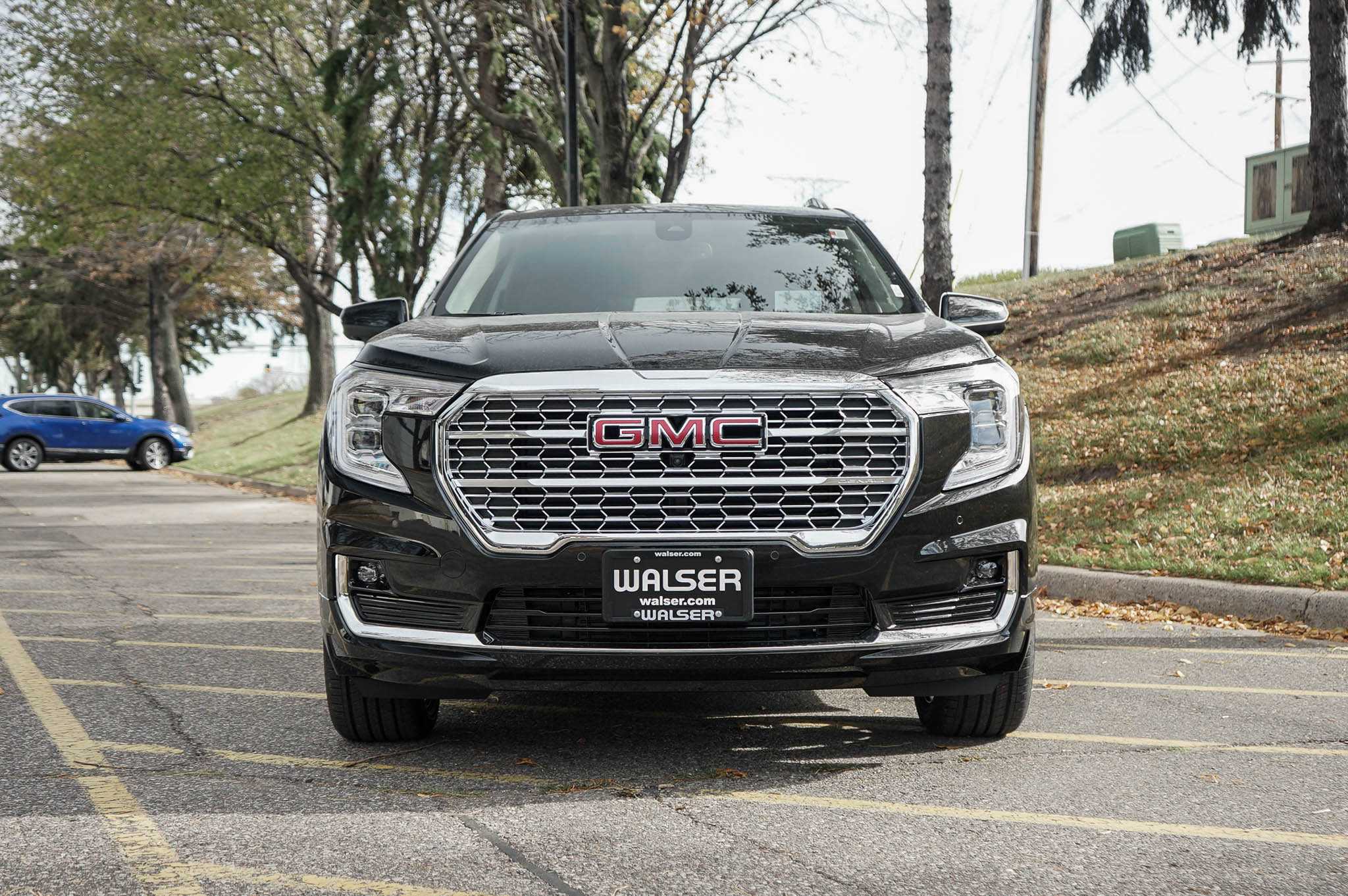
2023 GMC Terrain Warning and Indicator Lights User Guide
This Guide covers 2023 GMC Terrain warning and indicator lights. Explore the meanings, importance, and how to address each alert to keep your Terrain in great shape and safe for every drive.
2024 GMC Terrain Review, Specs, Price and Mileage (Brochure)
Video: 2023 GMC Terrain Warning Lights
Warning Lights, Gauges, and Indicators
Warning lights and gauges can signal that something is wrong before it becomes serious enough to cause an expensive repair or replacement. Paying attention to the warning lights and gauges could prevent injury. Some warning lights come on briefly when the engine is started to indicate they are working. When one of the warning lights comes on and stays on while driving, or when one of the gauges shows there may be a problem, check the section that explains what to do. Waiting to do repairs can be costly and even dangerous.
Instrument Cluster (Base and Midlevel)
Base Level English Shown, Metric Similar
- Fuel Gauge
- Engine Coolant Temperature Gauge
- Speedometer
- Driver Information Center (DIC) (Base and Midlevel) Driver Information Center (DIC) (Uplevel and Denali)
- Tachometer

Midlevel English Shown, Metric Similar
- Fuel Gauge
- Engine Coolant Temperature Gauge
- Speedometer
- Driver Information Center (DIC) (Base and Midlevel) Driver Information Center (DIC) (Uplevel and Denali)
- Tachometer
Cluster Menu (Midlevel) There is an interactive display area in the center of the instrument cluster. Use the right steering wheel control to open and scroll through the different items and displays. Press o to access the cluster applications. Use w or x to scroll through the list of available applications. Not all applications will be available on all vehicles.
- Info App. This is where the selected Driver Information Center (DIC) displays can be viewed. See Driver Information Center (DIC) (Base and Midlevel) 0 108 or Driver Information Center (DIC) (Uplevel and Denali).
- Options Press V to select the Options app, then press p to enter the Options menu. Use w or x to scroll through items in the Options menu. Units: Press p while Units is displayed to enter the Units menu. Choose English or Metric units by pressing V while the desired item is highlighted. A checkmark will be displayed next to the selected item. Info Pages: Press p while Info Pages is displayed to enter the Info Pages menu and select the items to be displayed in the Info app. See Driver Information Center (DIC) (Base and Midlevel) 0 108 or Driver Information Center (DIC) (Uplevel and Denali). Speed Warning: If equipped, the Speed Warning display allows the driver to set a speed that they do not want to exceed. To set the Speed Warning press V when Speed Warning is displayed. Press w or x to adjust the value. Press V to set the speed. Once the speed is set, this feature can be turned off by pressing V while viewing this page. If the selected speed limit is exceeded, a pop-up warning is displayed with a chime. Traction and Stability: Press p to enter the Traction and Stability menu. To turn the Traction Control System (TCS) on or off, choose Traction. To turn StabiliTrak/Electronic Stability Control (ESC) on or off, choose Stability. See Traction Control/Electronic Stability Control.
Instrument Cluster (Uplevel)
English Shown, Metric Similar
- Fuel Gauge
- Engine Coolant Temperature Gauge
- Speedometer 0 95
- Driver Information Center (DIC) (Base and Midlevel) Driver Information Center (DIC) (Uplevel and Denali)
- Tachometer
Uplevel Cluster Menu There is an interactive display area in the center of the instrument cluster.
- Home Page
- Info App. This is where the selected Driver Information Center (DIC) displays can be viewed. See Driver Information Center (DIC) (Base and Midlevel) 0 108 or Driver Information Center (DIC) (Uplevel and Denali).
- Audio
- Navigation
- Phone
- Options
Home
The information displayed here can be customized from the Options menu.
- Speedometer: Displays how fast the vehicle is moving in either kilometers per hour (km/h) or miles per hour (mph).
- Speed Sign: Shows sign information, which comes from a roadway database in the onboard navigation if equipped.
- Time: Displays the current time.
- Fuel Range: Displays the approximate distance the vehicle can be driven without refueling. The fuel range estimate is based on an average of the vehicle’s fuel economy over recent driving history and the amount of fuel remaining in the fuel tank. The fuel range cannot be reset.
Audio Press w or x to scroll through options, browse for music, select from favorites, or change the audio source. In the main view, scroll to change the station or go to the next or previous track. Navigation In the Navigation menu, if there is no active route, press V to access Recents or Favorites. If there is an active route, press V to cancel or resume route guidance, mute or unmute voice guidance, and access Recents or Favorites. Phone In the Phone menu, if there is no active phone call, view recent calls, scroll through contacts, select from the favorites, or change the phone source. If there is an active call, mute the phone or switch to handset operation.
Options
Press w or x to scroll through items in the Options menu. Press V to select the item. Press o to exit the item.
- Units: Choose US or metric units. A selected mark will be displayed next to the selected item.
- Info Page Options: Select the items to be displayed in the Info app. A selected mark will be displayed next to the selected item.
- Home Page Options: Select the available elements to display. Not all elements will be available on all vehicles: Speedometer, Active Safety, Speed Sign, Time, and Fuel Range.
- Speed Warning: Allows the driver to set a speed that they do not want to exceed. To set the Speed Warning, press V when the Speed Warning is displayed. Use w or x to adjust the value. Press V to set the speed. Once the speed is set, this feature can be turned off by pressing V while viewing this page. If the selected speed limit is exceeded, a pop-up warning is displayed with a chime.
- Traction and Stability: Press p to enter the Traction and Stability menu. To turn the Traction Control System (TCS) on or off, choose Traction. To turn StabiliTrak/ Electronic Stability Control (ESC) on or off, choose Stability. See Traction Control/ Electronic Stability Control
- Software Information: Displays open-source software information.
Instrument Cluster (Denali Only)
Uplevel English Standard Theme Shown, Metric Similar
- Engine Oil Temperature Gauge (Denali Only)
- Speedometer
- Voltmeter Gauge (Denali Only)
- Engine Coolant Temperature Gauge
- Fuel Gauge
- Driver Information Center (DIC) (Base and Midlevel) Driver Information Center (DIC) (Uplevel and Denali)
- Tachometer
Cluster Menu There is an interactive display area in the center of the instrument cluster. Use the right steering wheel control to open and scroll through the different items and displays. Press o to access the cluster applications. Use w or x to scroll through the list of available applications. Press V to select. Not all applications will be available on all vehicles.
- Info App. This is where the selected Driver Information Center (DIC) displays can be viewed. See Driver Information Center (DIC) (Base and Midlevel) 0 108 or Driver Information Center (DIC) (Uplevel and Denali).
- Audio
- Phone
- Navigation
- Options
Audio Press V to select the Audio app, then press p to enter the Audio menu. In the Audio menu browse for music, select from the favorites, or change the audio source. Use w or x to change the station or go to the next or previous track. Phone Press V to select the Phone app, then press p to enter the Phone menu. In the Phone menu, if there is no active phone call, view recent calls, or scroll through contacts. If there is an active call, mute the phone or switch to handset operation. Navigation Press the V to select the Navigation app, then press p to enter the Navigation menu. If there is no active route, you can resume the last route and turn the voice prompts on/off. If there is an active route, press V to cancel or resume route guidance or turn the voice prompts on or off. Options Press the V to select the Options app, then press P to enter the Options menu. Use w or x to scroll through items in the Options menu. Units: Press p while Units is displayed to enter the Units menu. Choose English or Metric units by pressing V while the desired item is highlighted. Display Themes: There are two instrument cluster display configurations to choose from: Sport and Touring. Info Pages: Press p while Info Pages is displayed to enter the Info Pages menu and select the items to be displayed in the Info app. See Driver Information Center (DIC) (Base and Midlevel) 0 108 or Driver Information Center (DIC) (Uplevel and Denali) 0 112. Speed Warning : The Speed Warning display allows you to set a speed not to be exceeded. To set, press p when Speed Warning is displayed. Scroll to set speed and press p. Scroll w or x to adjust the value and press V to set the speed. Once the speed is set, this feature can be turned off by pressing V while viewing this page. If the selected speed limit is exceeded, a pop-up warning is displayed with a chime. Traction and Stability : Press p to enter the Traction and Stability menu. To turn the Traction Control System (TCS) on or off, choose Traction. To turn StabiliTrak/ Electronic Stability Control (ESC) on or off, choose Stability. See Traction Control/ Electronic Stability Control 0 214. Software Information : Displays open-source software information. Speedometer The speedometer shows the vehicle’s speed in either kilometers per hour (km/h) or miles per hour (mph). Odometer The odometer shows how far the vehicle has been driven, in either kilometers or miles. Trip Odometer The trip odometer shows how far the vehicle has been driven since the trip odometer was last reset. The trip odometer is accessed and reset through the Driver Information Center (DIC). See Driver Information Center (DIC) (Base and Midlevel) 0 108 or Driver Information Center (DIC) (Uplevel and Denali). Tachometer The tachometer displays the engine speed in revolutions per minute (rpm). For vehicles with the Stop/Start system, when the ignition is on, the tachometer indicates the vehicle status. When pointing to AUTO STOP, the engine is off but the vehicle is on and can move. The engine could auto-start at any time. When the indicator points to OFF, the vehicle is off. When the engine is on, the tachometer will indicate the engine’s revolutions per minute (rpm). The tachometer may vary by several hundred rpm, during Auto Stop mode, when the engine is shutting off and restarting.
Fuel Gauge
Metric Uplevel Shown, Base, and Midlevel Similar English Uplevel Shown, Base, and Midlevel Similar
 Metric Denali
- Take a little more, or less fuel to fill up than it indicates. For example, the gauge may have indicated the tank is half full, but it actually will take a little more, or less than half the tank’s capacity to fill the tank.
- Moves a little while turning a corner, speeding up, or braking.
- Take a few seconds to stabilize after the ignition is turned on and goes back to empty when the ignition is turned off. These are normal conditions, none of which indicate a problem with the fuel gauge.
Engine Oil Temperature Gauge (Denali Only) Metric
 English This gauge shows the engine oil temperature. If the gauge pointer moves into the high end, it means that the engine oil has overheated. If the vehicle has been operated under normal driving conditions, pull off the road, stop the vehicle, and turn off the engine as soon as possible. Engine Coolant Temperature Gauge
 English Uplevel Shown, Base, and Midlevel Similar
 Metric Denali
 When the ignition is on, this gauge indicates the battery voltage. When the engine is running, this gauge shows the condition of the charging system. The gauge can transition from a higher to lower or a lower to higher reading. This is normal. If the vehicle is operating outside the normal operating range, the charging system light comes on. See Charging System. Readings outside the normal operating range can also occur when a large number of electrical accessories are operating in the vehicle and the engine is left idling for an extended period. This condition is normal since the charging system is not able to provide full power at the engine idle. As engine speeds are increased, this condition should correct itself as higher engine speeds allow the charging system to create maximum power. The vehicle can only be driven for a short time with the readings outside the normal operating range. If the vehicle must be driven, turn off all accessories, such as the radio and air conditioner, and unplug all chargers and accessories. Readings outside the normal operating range indicate a possible problem in the electrical system. Have the vehicle serviced as soon as possible.
Seat Belt Reminders
Driver Seat Belt Reminder Light There is a driver seat belt reminder light on the instrument cluster. When the vehicle is started, this light flashes and a chime may come on to remind the driver to fasten their seat belt. Then the light stays on solid until the belt is buckled. This cycle may continue several times if the driver remains or becomes unbuckled while the vehicle is moving. If the driver seat belt is buckled, neither the light nor the chime comes on. Front Passenger Seat Belt Reminder Light The vehicle may have a front passenger seat belt reminder light near the passenger airbag status indicator. See Passenger Sensing System.
 The airbag readiness light comes on for several seconds when the vehicle is started. If the light does not come on then, have it fixed immediately. Warning If the airbag readiness light stays on after the vehicle is started or comes on while driving, it means the airbag system might not be working properly. The airbags in the vehicle might not inflate in a crash, or they could even inflate without a crash. To help avoid injury, have the vehicle serviced right away. If there is a problem with the airbag system, a Driver Information Center (DIC) message may also come on.
Passenger Airbag Status Indicator
The vehicle has a passenger sensing system. See Passenger Sensing System 0 54 for important safety information. The overhead console has a passenger airbag status indicator. When the vehicle is started, the passenger airbag status indicator will light ON and OFF, and the symbols for on and off, for several seconds as a system check. Then, after several more seconds, the status indicator will light either ON or OFF, and either the on or off symbol, to let you know the status of the front outboard passenger frontal airbag. If the word ON, and the on symbol, are lit on the passenger airbag status indicator, it means that the front outboard passenger frontal airbag is allowed to inflate. If the word OFF, and the off symbol, are lit on the passenger airbag status indicator, it means that the passenger sensing system has turned off the front outboard passenger frontal airbag. If, after several seconds, both status indicator lights remain on, or if there are no lights at all, there may be a problem with the lights or the passenger sensing system. See your dealer for service. Warning If the airbag readiness light ever comes on and stays on, it means that something may be wrong with the airbag system. To help avoid injury to yourself or others, have the vehicle serviced right away. See Airbag Readiness Light 0 99 for more information, including important safety information. Charging System Light
 Malfunctions are often indicated by the system before any problem is noticeable. Being aware of the light and seeking service promptly when it comes on may prevent damage. Caution If the vehicle is driven continually with this light on, the emission control system may not work as well, the fuel economy may be lower, and the vehicle may not run smoothly. This could lead to costly repairs that might not be covered by the vehicle warranty. Caution Modifications to the engine, transmission, exhaust, intake, or fuel system, or the use of replacement tires that do not meet the original tire specifications, can cause this light to come on. This could lead to costly repairs not covered by the vehicle warranty. This could also affect the vehicle’s ability to pass an Emissions Inspection/Maintenance test. See Accessories and Modifications 0 261. Light Flashing If the light is flashing: A malfunction has been detected that could damage the emission control system and increase vehicle emissions. Diagnosis and service may be required. To help prevent damage, reduce vehicle speed and avoid hard accelerations and uphill grades. If towing a trailer, reduce the amount of cargo being hauled as soon as possible. If the light continues to flash, find a safe place to park. Turn the vehicle off and wait at least 10 seconds before restarting the engine. If the light is still flashing, follow the previous guidelines and see your dealer for service as soon as possible. Light on Steady If the light is on steady: A malfunction has been detected. Diagnosis and service may be required. Check the following:
- If fuel has been added to the vehicle using the capless funnel adapter, make sure that it has been removed. See “Filling the Tank with a Portable Gas Can” under Filling the Tank 0 250. The diagnostic system can detect if the adapter has been left installed in the vehicle, allowing fuel to evaporate into the atmosphere. A few driving trips with the adapter removed may turn off the light.
- Poor fuel quality can cause inefficient engine operation and poor driveability, which may go away once the engine is warmed up. If this occurs, change the fuel brand. It may require at least one full tank of the proper fuel to turn the light off. See Recommended Fuel 0 249.
If the light remains on, see your dealer. Emissions Inspection and Maintenance Programs If the vehicle requires an Emissions Inspection/Maintenance test, the test equipment will likely connect to the vehicle’s Data Link Connector (DLC). The DLC is under the instrument panel to the left of the steering wheel. Connecting devices that are not used to perform an Emissions Inspection/Maintenance test or to service the vehicle may affect vehicle operation. See Add-On Electrical Equipment 0 259. See your dealer if assistance is needed. The vehicle may not pass inspection if:
- The light is on when the engine is running.
- The light does not come on when the ignition is in Service Mode.
- Critical emission control systems have not been completely diagnosed. If this happens, the vehicle will not be ready for inspection and might require several days of routine driving before the system is ready for inspection. This can happen if the 12-volt battery has recently been replaced or run down, or if the vehicle has been recently serviced.
See your dealer if the vehicle will not pass or cannot be made ready for the test.
Brake System Warning Light
This light comes on briefly when the vehicle is turned on to show that the light is working. If it does not come on then, have it fixed so it will be ready to warn you if there is a problem. If the light comes on and stays on, there is a brake problem. Have the brake system inspected right away. This light may come on if the brake fluid is low. See Brake Fluid 0 275. If the light comes on while driving, pull off the road and stop carefully. If equipped with an electric brake boost, vehicle speed may be limited when the brake system warning light comes on. The brake pedal might be harder to push, or the brake pedal may go closer to the floor. It could take longer to stop. If the light is still on, have the vehicle towed for service. See Transporting a Disabled Vehicle. Warning The brake system might not be working properly if the brake system warning light is on. Driving with the brake system warning light on can lead to a crash. If the light is still on after the vehicle has been pulled off the road and carefully stopped, have the vehicle towed for service. Electric Parking Brake Light This light comes on when the parking brake is applied. If the light continues flashing after the parking brake is released, or while driving, there is a problem with the Electric Parking Brake system. A message may also be displayed in the Driver Information Center (DIC). If the light does not come on or remains flashing, see your dealer. Service Electric Parking Brake Light
 This light should come on briefly when the vehicle is turned on. If it does not come on, have it fixed so it will be ready to warn if there is a problem. If this light stays on or comes on while driving, there is a problem with the Electric Parking Brake (EPB). Take the vehicle to a dealer as soon as possible. In addition to the parking brake, other safety functions that utilize the EPB may also be degraded. A message may also be displayed in the Driver Information Center (DIC). See Electric Parking Brake 0 212. Antilock Brake System (ABS) Warning Light
 If equipped, the Hill Descent Control light comes on when the system is ready for use. When the light flashes, the system is active. See Hill Descent Control (HDC) 0 217. Lane Keep Assist (LKA) Light
 If equipped, the Lane Keep Assist Light may display the following colors:
- Blank: LKA is disabled.
- White: Appears when the vehicle starts. A steady white light indicates that LKA is not ready to assist.
- Green: Appears when LKA is turned on and ready to assist. LKA will gently turn the steering wheel if the vehicle approaches a detected lane marking.
- Amber: This appears when LKA is active. The light flashes amber as a Lane Departure Warning (LDW) alert to indicate that the lane marking has been unintentionally crossed. If the system detects you are steering intentionally (to pass or change lanes), the LDW alert may not display.
LKA will not assist or alert if the turn signal is active in the direction of lane departure, or if LKA detects that you are accelerating, braking, or actively steering. See Lane Keep Assist (LKA) 0 247. Vehicle Ahead Indicator
 If equipped, this indicator will display amber when a nearby pedestrian is detected in front of the vehicle. See Front Pedestrian Braking (FPB) System 0 243. Traction Off Light
 This light comes on briefly when the vehicle is turned on to show that the light is working. If it does not come on then, have it fixed so it will be ready to warn you if there is a problem. The traction off light comes on when the Traction Control System (TCS) has been turned off. If StabiliTrak/Electronic Stability Control (ESC) is turned off, TCS is also turned off. To turn TCS and ESC off and on, see Traction Control/Electronic Stability Control 0 214. If TCS is off, wheel slip during acceleration is not limited unless necessary to help protect the driveline from damage. Adjust driving accordingly StabiliTrak OFF Light
 This light comes on briefly when the vehicle is turned on to show that the light is working. If it does not come on then, have it fixed so it will be ready to warn you if there is a problem. If the light is on and not flashing, the TCS and potentially the StabiliTrak/ESC system are not fully operational and may not assist in maintaining control. Adjust driving accordingly. If the condition persists, see your dealer as soon as possible. A Driver Information Center (DIC) message may be displayed. The light flashes when the TCS and/or the StabiliTrak/ESC system is actively working. See Traction Control/Electronic Stability Control 0 214. Driver Mode Control Light
 If equipped, this light comes on when the Tow/Haul Mode is selected. See Driver Mode Control. Tire Pressure Light
Engine Oil Pressure Light
Caution Driving the vehicle with low engine oil pressure can damage the engine and the repairs would not be covered by the vehicle warranty. If the engine oil pressure light comes on while driving:
- Stop in a safe location and turn off the engine.
- Check the oil level. See Engine Oil 0 265.
- Add oil if the oil level is below the normal operating range.
- Restart the vehicle. If the engine oil pressure light stays on for more than 10 seconds, turn the vehicle back off. Do not restart the vehicle. See your dealer for service.

This light should come on briefly when the engine starts. When the engine is off and the vehicle is on, the light should remain illuminated. If it does not come on under either condition, contact your dealer. If the light comes on and stays on when the engine is running, it may not have adequate oil pressure. The oil level may be low or there may be some other oil system problem. Turn the engine off when it is safe to do so and contact your dealer Low Fuel Warning Light Base Level English Shown, Metric Similar
 The security light should come on briefly as the engine is started. If it does not come on, have the vehicle serviced by your dealer. If the system is working normally, the indicator light turns off. If the light stays on and the engine does not start, there could be a problem with the theft-deterrent system. See Immobilizer Operation. High-Beam On Light
 This light comes on when the high-beam headlamps are in use. See Headlamp High/ Low-Beam Changer. IntelliBeam Light
 For vehicles with fog lamps, this light comes on when the fog lamps are turned on. The light goes out when the fog lamps are turned off. See Fog Lamps Lamps On Reminder
 This light comes on when the exterior lamps are in use, except when only the Daytime Running Lamps (DRL) are active. See Exterior Lamp Controls. Cruise Control Light
 Adaptive Cruise Control Light This light is white when the Adaptive Cruise Control (ACC, if equipped) is on and ready, and turns green when the ACC is set and active. See Adaptive Cruise Control (Camera). Door Ajar Light
 This light comes on when a door is open or not securely latched. Before driving, check that all doors are properly closed.
Information Displays
Driver Information Center (DIC) (Base and Midlevel) The DIC displays are shown in the center of the instrument cluster in the Info app. See Instrument Cluster (Base and Midlevel) 0 88 or Instrument Cluster (Uplevel) 0 91 or Instrument Cluster (Denali Only) 0 93. The displays show the status of many vehicle systems. The controls for the DIC are on the right steering wheel control.
Useful Link
View Full PDF: 2023 GMC Terrain User Guide | Auto User Guide 2024 GMC Terrain Review, Specs, Price and Mileage (Brochure) 2023 GMC Terrain Indicator Lights Guidelines