
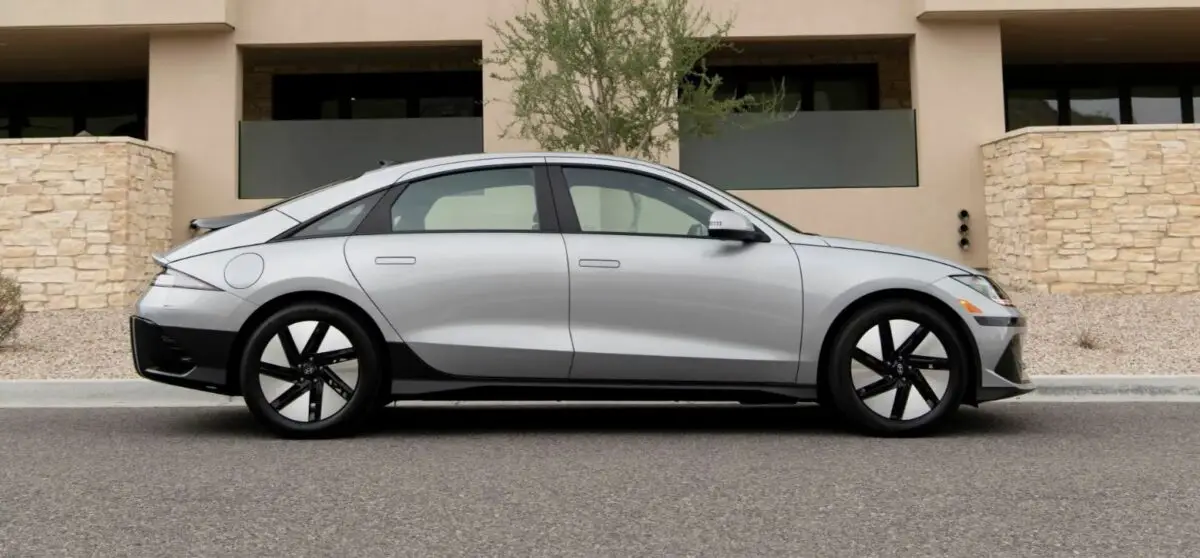

2024 Hyundai Ioniq 6 Smart Cruise Control Owner’s Manual
The 2024 Hyundai Ioniq 6 has a cutting-edge Smart Cruise Control (SCC) system that is the very best in car technology. This state-of-the-art SCC offers a driving experience like no other by combining cutting-edge radar and camera technologies in a seamless way. The Ioniq 6’s SCC offers adaptive control, easily changing speed and keeping a safe distance from other vehicles, whether driving through busy city streets or on open highways. With its easy-to-use interface and accurate performance, it makes driving more convenient and safe, so drivers can focus on the road ahead. This advanced system is Hyundai’s commitment to developing innovative smart automotive solutions that set a new standard for modern driving. It is designed to anticipate and act to different traffic situations.
2023 – 2024 Hyundai IONIQ 6 Review, Price, Features And Mileage (Brochure)
Hyundai Smart Cruise Control (SCC)
Smart Cruise Control detects a vehicle ahead and helps maintain the distance from the vehicle ahead and the set speed.
Overtaking Acceleration Assist
When Smart Cruise Control judges you are attempting to overtake a vehicle in front, Smart Cruise Control help with accelerating.
Based on Driving Style
Smart Cruise Control operates based on your driving style, such as vehicle distance, acceleration, and reaction speed.
Detecting sensor 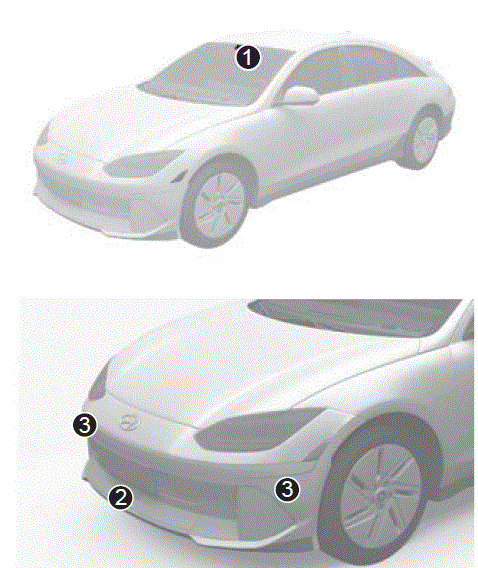
- Front view camera,
- Front radar,
- Front corner radar (if equipped)
The front view camera and front radar are used as a detecting sensor to detect front vehicles. Refer to the picture above for the detailed location of the detecting sensor. CAUTION Always keep the front view camera and front radar in good condition to maintain optimal performance of Smart Cruise Control. For more information on the precautions of the front view camera and front radar, refer to the “Forward Collision-Avoidance Assist (FCA)” section in this chapter.
Smart Cruise Control Settings
Smart Cruise Control 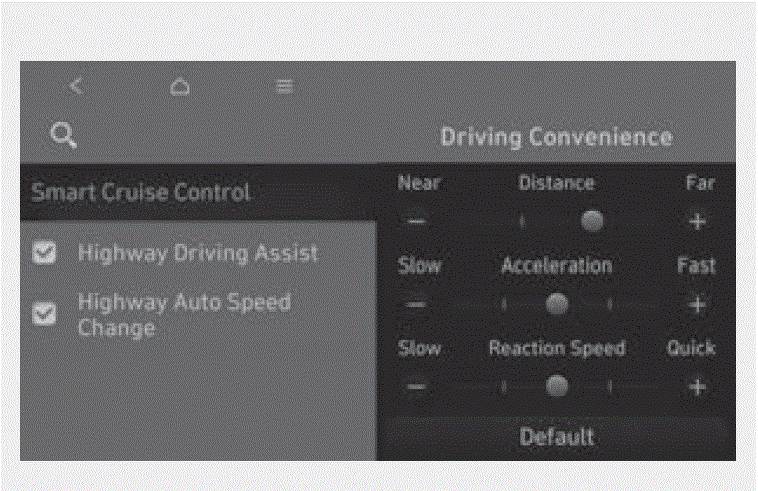
Based on Driving Style 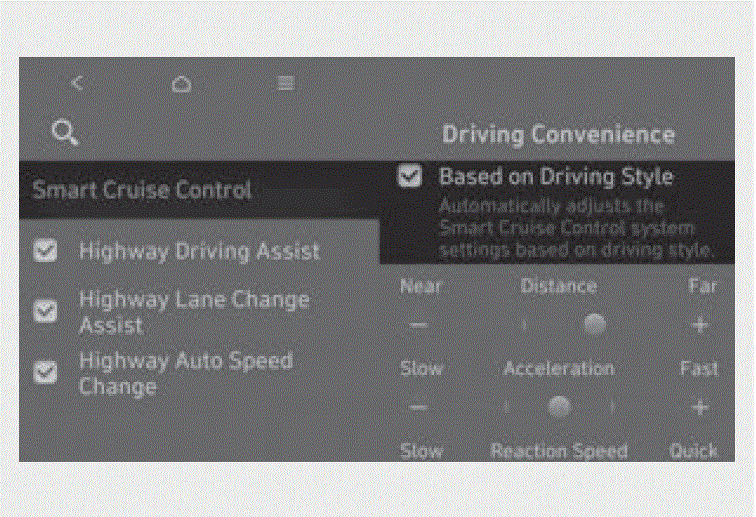 With the vehicle on, if Setup > Vehicle > Driver Assistance > Driving Convenience Smart Cruise Control > Based on Driving Style is selected from the Settings menu, Smart Cruise Control will operate based on the driver’s driving style, such as vehicle distance, acceleration, reaction speed.
Information
- If the Based on Driving Style is supported, you can select it from the Setup > Vehicle > Driver Assistance > Driving Convenience > Smart Cruise Control.
- Based on driving style setting continuously learns when the driver drives the vehicle.
- When Based on driving style is deactivated, the driver’s driving style such as vehicle distance, acceleration, and reaction speed will remain in the same stage.
Warning Methods 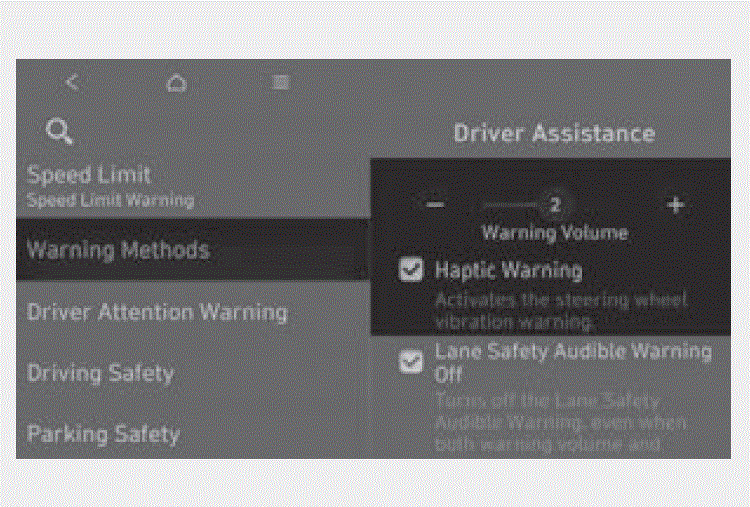
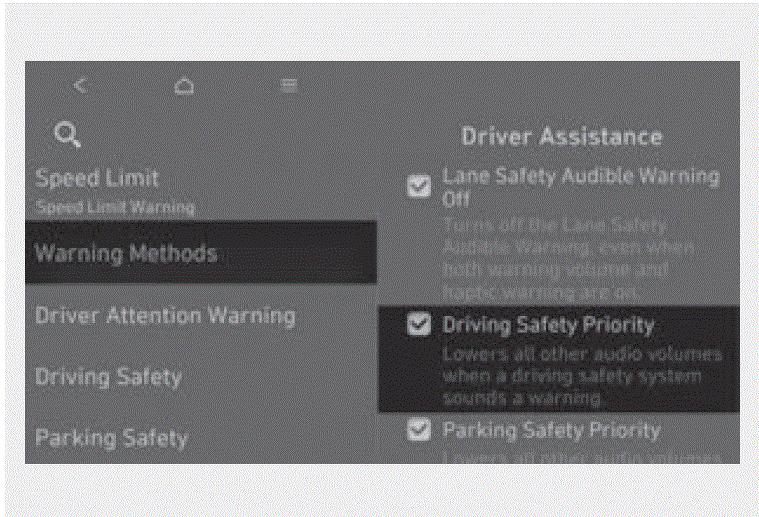
- Warning Volume: The Warning Volume can be adjusted. If you turn off the Warning Volume, for your safety, the function may warn you with a low volume.
- Haptic Warning: The steering wheel vibration can be set.
- Driving Safety Priority: Your vehicle lowers all other audio volumes when the Driver Assistance system warning sounds.
Information
- If the vehicle is restarted, Warning Volume will maintain the last setting.
- If the vehicle is restarted, Warning Methods will maintain the last setting.
- There may be no Settings menu depending on the feature applied to your vehicle.
- The Warning Volume and Haptic Warning cannot be turned off at the same time. When one of the warnings is turned off, the other is activated.
Smart Cruise Control Operation
Operating conditions Basic function
Smart Cruise Control operates when the following conditions are satisfied.
- The gear is in D (Drive)
- The driver’s door is closed
- EPB (Electronic Parking Brake) is not applied
- Your vehicle speed is within the operating speed range
- 5-120 mph (10-200 km/h): when there is no vehicle in front
- 0-120 mph (0-200 km/h): when there is a vehicle in front
- ESC (Electronic Stability Control) or ABS (Anti-Lock Braking System) is on
Smart Cruise Control does not operate in the following conditions.
- The driver’s door is opened
- Your vehicle is in power down mode ( )
- EPB (Electronic Parking Brake) is applied
- ESC (Electronic Stability Control) or ABS (Anti-Lock Braking System) is controlling the vehicle
- Forward Collision-Avoidance Assist brake control is operating
- Remote Smart Parking Assist brake control is operating (if equipped)
Information
When stopped behind another vehicle, the driver can turn on Smart Cruise Control while the brake pedal is depressed.
Operating conditions for Acceleration Assist
Overtaking Acceleration Assist operates when the turn signal indicator is turned on to the left while Smart Cruise Control is operating, and the following conditions are satisfied:
-
Your vehicle speed is above 40 mph (60 km/h)
-
A vehicle is detected in front of your vehicle
Overtaking Acceleration Assist does not operate in the following conditions.
- The hazard warning flasher is on
- Vehicle speed is reduced to maintain distance with the vehicle in front
WARNING
- When the turn signal indicator is turned on to the left while there is a vehicle ahead, the vehicle may accelerate temporarily. Pay attention to the road conditions at all times.
Turning on Smart Cruise Control 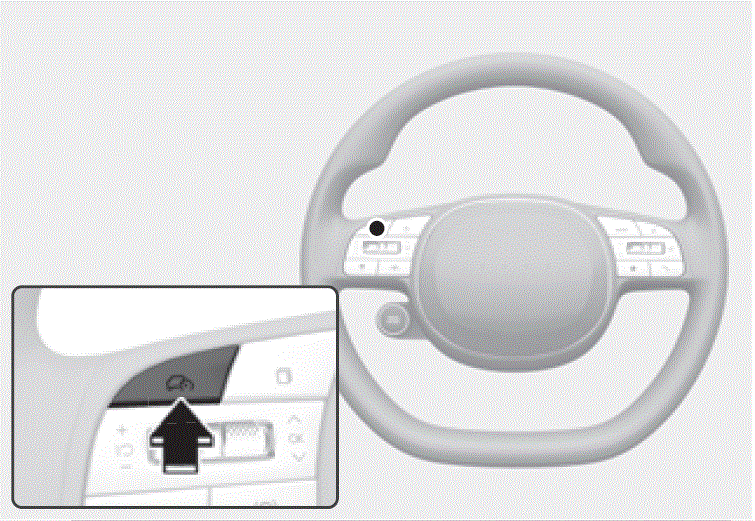
- Press the Driving Assist button to turn on Smart Cruise Control. The speed will be set to the current speed on the instrument cluster.
- If there is no vehicle in front of you, the set speed will be maintained, but if there is a vehicle in front of you, the speed may decrease to maintain the distance to the vehicle ahead. If the vehicle ahead accelerates, your vehicle will travel at a steady cruising speed after accelerating to the set speed.
Information
If your vehicle speed is between 0-20 mph (0-30 km/h) when you press the Driving Assist button, Smart Cruise Control speed will be set to 20 mph (30 km/h).
Setting vehicle distance 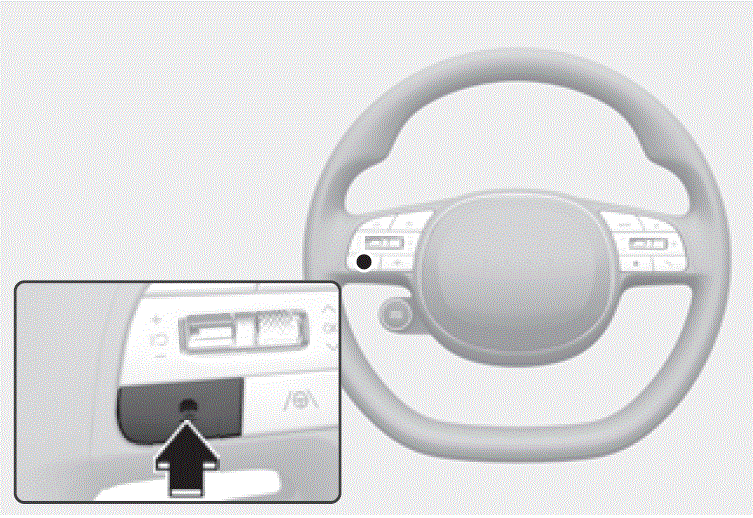 Each time the button is pressed, the headway changes as follows: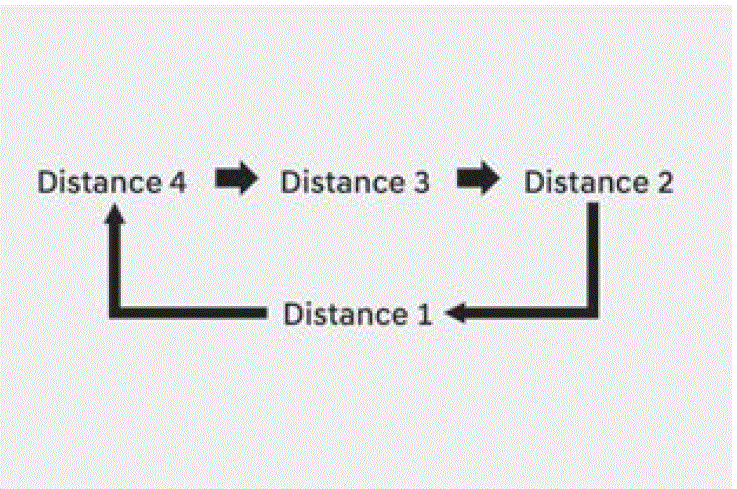
- If you drive at 56 mph (90 km/h), the distance is maintained as follows: Distance 4 – about 172 ft. (53 m) Distance 3 – about 130 ft. (40 m) Distance 2 – about 106 ft. (30 m) Distance 1 – about 82 ft. (25 m)
- The distance is set to the last set distance when the vehicle is restarted, or when Smart Cruise Control was temporarily canceled.
Increasing set speed 
- Push the + switch up and release it immediately. The set speed will increase by 1 mph (1 km/h) each time the switch is operated in this manner.
- Push the + switch up and hold it while monitoring the set speed on the instrument cluster. The set speed will increase by 5 mph (10 km/h) each time the switch is operated in this manner. Release the switch when the desired speed is shown, and the vehicle will accelerate to that speed. You can increase the set speed to 120 mph (200 km/h).
WARNING
Check the driving condition before using the + switch. Driving speed may sharply increase when you push up and hold the + switch.
Decreasing set speed 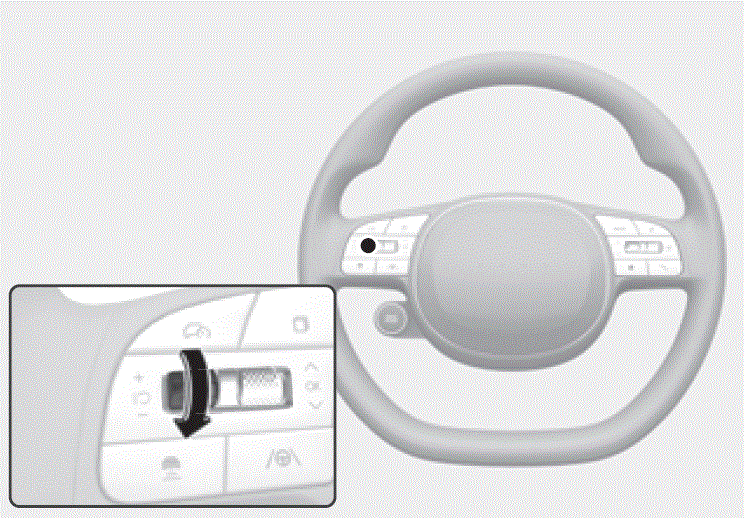
- Push the – switch down and release it immediately. The set speed will decrease by 1 mph (1 km/h) each time the switch is operated in this manner.
- Push the – switch down and hold it while monitoring the set speed on the instrument cluster. The set speed will decrease by 5 mph (10 km/h) each time the switch is operated in this manner. Release the switch at the speed you want to maintain. You can decrease the set speed to 20 mph (30 km/h).
Temporarily canceling Smart Cruise Control 
Resuming Smart Cruise Control 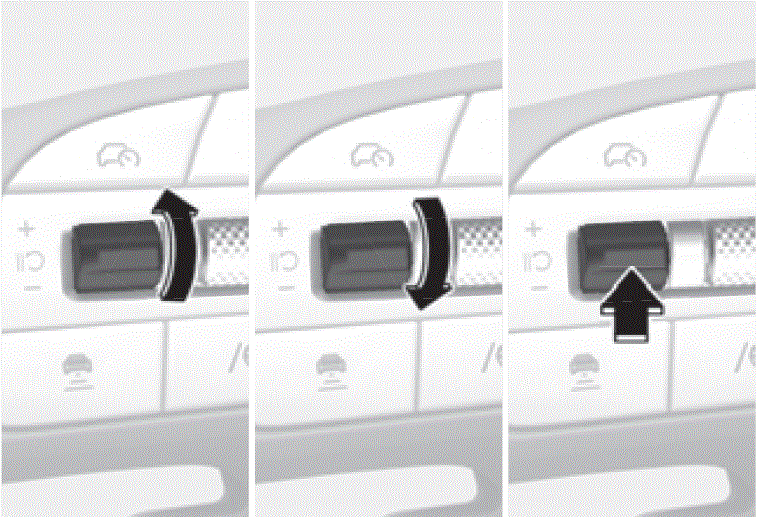 To resume Smart Cruise Control after the function was canceled, operate the +, – or switch. If you push the + switch up or – switch down, vehicle speed will be set to the current speed on the instrument cluster. If you press the switch, vehicle speed will resume to the preset speed.
WARNING
Check the driving condition before using the switch. Driving speed may sharply increase or decrease when you press the switch.
Turning off Smart Cruise Control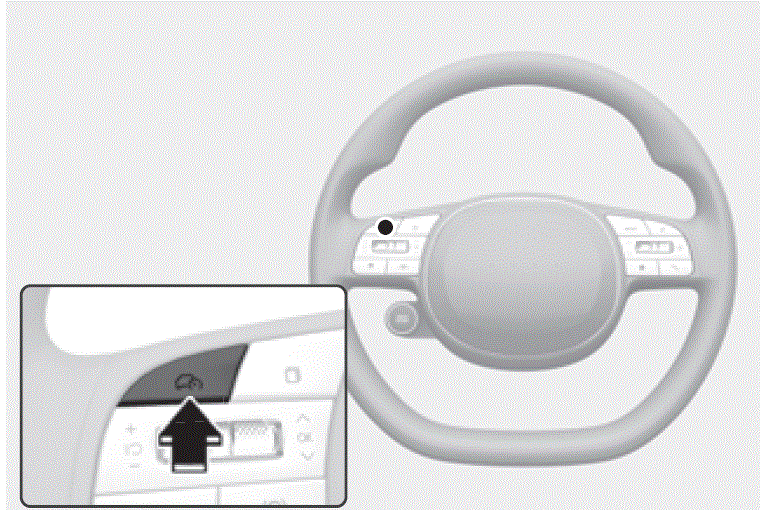 Press the Driving Assist button to turn Smart Cruise Control off.
Information
If your vehicle is equipped with Manual Speed Limit Assist, press and hold the Driving Assist button to turn off Smart Cruise Control. However Manual Speed Limit Assist will turn on.
WARNING
Do not use the switches and buttons at the same time. Smart Cruise Control may not operate properly.
Display and Control Basic function
You can see the status of the Smart Cruise Control operation in the Driving Assist view on the instrument cluster. For more information, refer to the “View Modes” section in chapter 4. Smart Cruise Control will be displayed as below depending on the status of the function. 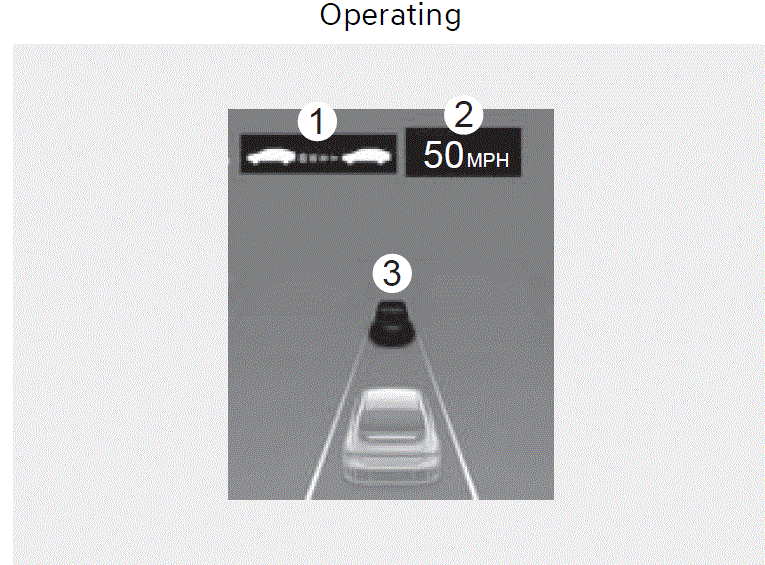
- When operating
- Whether there is a vehicle ahead and the selected distance level
- Set speed
- Whether there is a vehicle ahead and the target vehicle distance
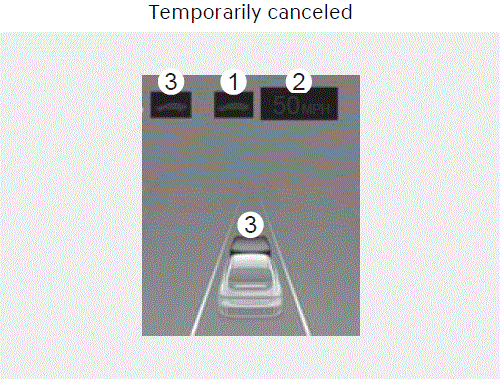
- When temporarily canceled
- Your vehicle (grey)
- Previous set speed (grey)
- Vehicle ahead and distance level (grey) (if equipped)
Information
- The distance of the front vehicle on the instrument cluster is displayed based on the actual distance between your vehicle and the vehicle ahead.
- The target distance may vary according to the vehicle speed and the set distance level. If the vehicle speed is low, even though the vehicle distance have changed, the change of the target vehicle distance may be small.
- The images and colors in the instrument cluster may differ depending on the instrument cluster type or theme selected from the settings menu.
Accelerating temporarily 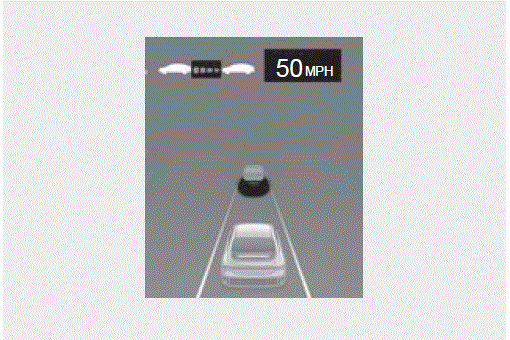 If you want to speed up temporarily without altering the set speed while Smart Cruise Control is operating, depress the accelerator pedal. While the accelerator pedal is depressed, the set speed, distance level and target distance will blink on the instrument cluster. However, if the accelerator pedal is depressed insufficiently, the vehicle may decelerate.
WARNING
Be careful when accelerating temporarily, because the speed and distance is not controlled automatically even if there is a vehicle in front of you.
Based on Driving Style operation 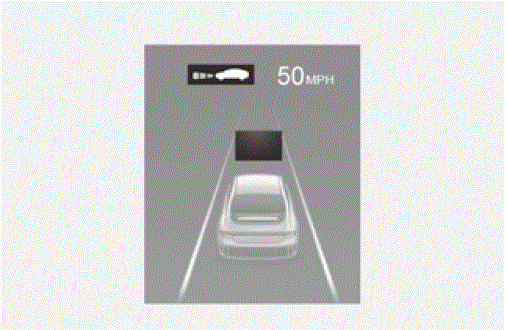
CAUTION
- The vehicle must be driven sufficiently to reflect the actual driver’s driving style to the Based on Driving Style’s vehicle distance, acceleration, and reaction speed.
- Based on Driving Style may not reflect driving styles or driving conditions that affect safe driving.
- If you are driving in special conditions, such as snow, rain, fog, or steep slopes, the vehicle may not be driven according to the driver’s driving style.
Information
-
Driving styles that are far from safe driving such as sudden acceleration may not be reflected to Based on Driving Style.
-
Based on Driving Style does not reflect any other driving style other than vehicle distance, acceleration and reaction speed.
Temporarily cancelling Smart Cruise Control 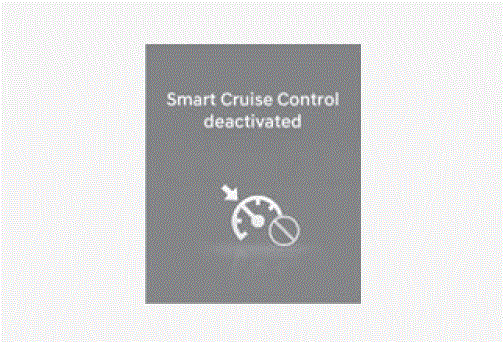
- The vehicle speed is above 130 mph (210 km/h)
- The vehicle is stopped for a certain period of time
- The accelerator pedal is continuously depressed for a certain period of time
- The conditions for the Smart Cruise Control to operate is not satisfied
If Smart Cruise Control is temporarily cancelled automatically, the ‘Smart Cruise Control deactivated’ warning message will appear on the instrument cluster, and an audible warning will sound to warn the driver. Information If Smart Cruise Control is temporarily cancelled while the vehicle is at a standstill with the function activated, EPB (Electronic Parking Brake) maybe applied.
WARNING
When Smart Cruise Control is temporarily cancelled, distance with the front vehicle will not be maintained. Always have your eyes on the road while driving, and if necessary, depress the brake pedal to reduce your driving speed in order to maintain a safe distance.
Smart Cruise Control conditions not satisfied 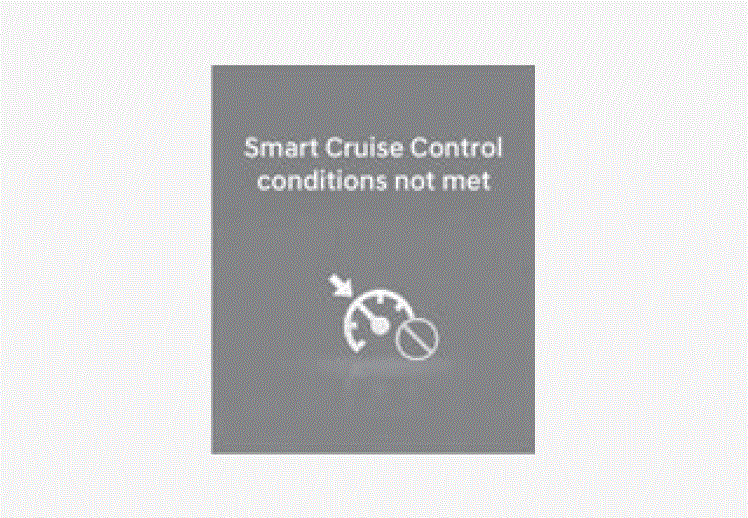 If the Driving Assist button, + switch, – switch or switch is operated when Smart Cruise Control operating conditions are not satisfied, the ‘Smart Cruise Control conditions not met’ will appear on the instrument cluster, and an audible warning will sound
In traffic situation 
Warning road conditions ahead 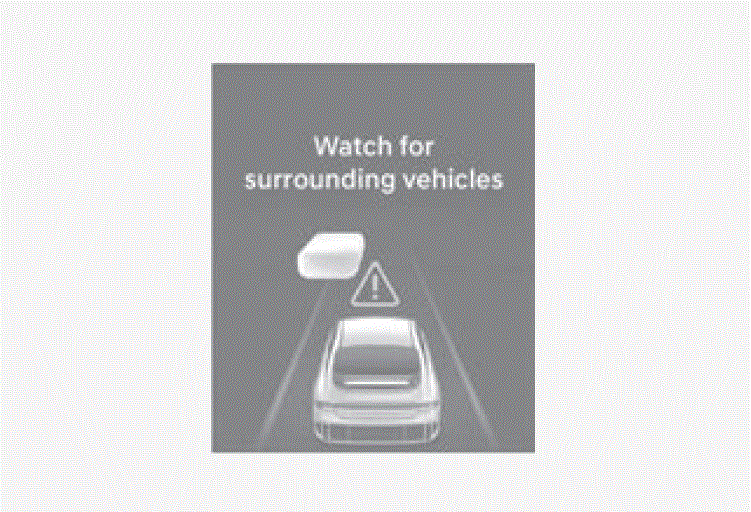 In the following situation, the ‘Watch for surrounding vehicles’ warning message will appear on the instrument cluster, and an audible warning will sound to warn the driver of road conditions ahead.
- The vehicle in front disappears when Smart Cruise Control is maintaining the distance with the vehicle ahead while driving below a certain speed.
WARNING
Always pay attention to vehicles or objects that may suddenly appear in front of you, and if necessary, depress the brake pedal to reduce your driving speed in order to maintain a safe distance.
Collision Warning 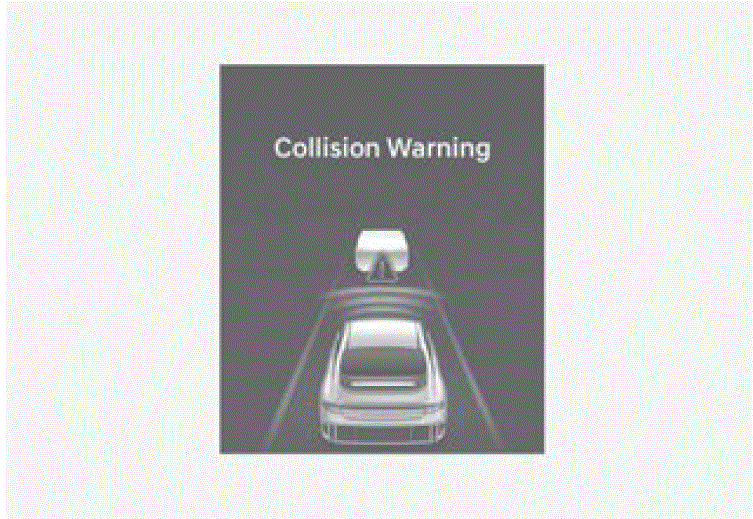 While Smart Cruise Control is operating, when the collision risk with the vehicle ahead is high, the ‘Collision Warning’ warning message will appear on the instrument cluster, and an audible warning will sound to warn the driver. Always have your eyes on the road while driving, and if necessary, depress the brake pedal to reduce your driving speed in order to maintain a safe distance.
WARNING
In the following situations, Smart Cruise Control may not warn the driver of a collision.
- The distance from the front vehicle is near, or the vehicle speed of the front vehicle is faster or similar with your vehicle
- The speed of the front vehicle is very slow or is at a standstill
- The accelerator pedal is depressed right after Smart Cruise Control is turned on
WARNING
Take the following precautions when using Smart Cruise Control:
- Smart Cruise Control does not substitute for proper and safe driving. It is the responsibility of the driver to always check the speed and distance to the vehicle ahead.
- Smart Cruise Control may not recognize unexpected and sudden situations or complex driving situations, so always pay attention to driving conditions and control your vehicle speed.
- Keep Smart Cruise Control off when the function is not in use to avoid inadvertently setting a speed.
- Do not open the door or leave the vehicle when Smart Cruise Control is operating, even if the vehicle is stopped.
- Always be aware of the selected speed and headway distance.
- Keep a safe distance according to road conditions and vehicle speed. If the headway distance is too close during high-speed driving, a serious collision may result.
- When maintaining distance with the vehicle ahead, if the front vehicle disappears, Smart Cruise Control may suddenly accelerate to the set speed. Always be aware of unexpected and sudden situations from occurring.
- Vehicle speed may decrease on an upward slope and increase on a downward slope.
- Always be aware of situations such as when a vehicle cuts in suddenly.
- When you are towing a trailer or another vehicle, turn off Smart Cruise Control for safety reasons.
- Turn off Smart Cruise Control when your vehicle is being towed.
- Smart Cruise Control may not operate properly if interfered by strong electromagnetic waves.
- Smart Cruise Control may not detect an obstacle in front and lead to a collision. Always look ahead cautiously to prevent unexpected and sudden situations from occurring.
- Vehicles moving in front of you with a frequent lane change may cause a delay in Smart Cruise Control reaction or may cause Smart Cruise Control to react to a vehicle actually in an adjacent lane. Always drive cautiously to prevent unexpected and sudden situations from occurring.
- Always be aware of the surroundings and drive safely, even though a warning message does not appear or an audible warning does not sound.
- If any other system’s warning message is displayed or warning sound is generated, Smart Cruise Control warning message may not be displayed and warning sound may not be generated.
- You may not hear the warning sound of Forward Collision-Avoidance Assist if the surrounding is noisy.
- The vehicle manufacturer is not responsible for any traffic violation or accidents caused by the driver.
- Always set the vehicle speed under the speed limit in your area.
- Vehicle distance, acceleration and reaction speed may change if the driver’s driving style changes.
Information
- Smart Cruise Control may not operate for 15 seconds after the vehicle is started or the front view camera or front radar is initialized.
- You may hear a sound when the brake is controlled by Smart Cruise Control.
FAQs
Smart Cruise Control (SCC) in the 2024 Hyundai Ioniq 6 is a feature that allows the vehicle to automatically maintain a set speed and distance from the vehicle in front, using advanced technology. The 2024 Hyundai Ioniq 6 is equipped with Smart Cruise Control (SCC), an advanced driving assistance system that effectively maintains a certain speed and distance from the preceding car, automatically altering the speed to ensure a safe following distance.
The Smart Cruise Control (SCC) in the 2024 Hyundai Ioniq 6 operates by utilising advanced technology to maintain a consistent speed and safe distance from other vehicles on the road. The technology use radar and cameras to identify vehicles in front and automatically modifies the car’s velocity as needed, decelerating or accelerating in order to uphold a secure gap.
Yes, the Smart Cruise Control (SCC) in the 2024 Hyundai Ioniq 6 has the capability to bring the car to a complete stop.There is no text provided. Indeed, the Smart Cruise Control (SCC) installed in the 2024 Hyundai Ioniq 6 has the ability to halt the vehicle entirely in congested traffic and can then recommence driving when traffic starts moving again.
Indeed, the Smart Cruise Control (SCC) implemented in the 2024 Hyundai Ioniq 6 is equipped with adaptive capabilities. This implies that it has the ability to modify the speed of the car in response to the prevailing traffic conditions, ensuring a safe distance is maintained from the preceding vehicle.
The 2024 Hyundai Ioniq 6’s Smart Cruise Control (SCC) is equipped with several safety features including forward collision warning, automatic emergency braking, and lane-keeping assist, all of which work together to improve driving safety.
Although the SCC (Smart Cruise Control) system in the 2024 Hyundai Ioniq 6 is engineered to function in diverse driving conditions, it may encounter restrictions in specific scenarios like intense rainfall, snowfall, or thick fog.
Yes, the driver has the ability to override Smart Cruise Control (SCC) in the 2024 Hyundai Ioniq 6 by manually using the brakes or accelerating.
The maximum speed at which Smart Cruise Control (SCC) operates in the 2024 Hyundai Ioniq 6 is not specified. There is no text provided. The maximum operating speed of the SCC system in the 2024 Hyundai Ioniq 6 may vary, however it generally adheres to the legal speed limits on highways and motorways.
Yes, the Smart Cruise Control (SCC) in the 2024 Hyundai Ioniq 6 is designed to work in concert with other driver aid technologies. The Smart Cruise Control (SCC) in the 2024 Hyundai Ioniq 6 operates in tandem with other driver assistance systems including lane-keeping assist and driver attention alert to offer a holistic driving experience.
Yes, the Smart Cruise Control (SCC) in the 2024 Hyundai Ioniq 6 is capable of detecting stationary things that are ahead. There is no text provided. The SCC system in the 2024 Hyundai Ioniq 6 is primarily meant to identify moving vehicles, but it may also have the ability to recognise stationary objects in some circumstances.
The SCC (Smart Cruise Control) system in the 2024 Hyundai Ioniq 6 is engineered to function efficiently without the need for frequent calibration or maintenance.
Yes, it is possible to disable the Smart Cruise Control (SCC) feature in the 2024 Hyundai Ioniq 6. Indeed, the driver has the capability to deactivate the Smart Cruise Control (SCC) feature in the 2024 Hyundai Ioniq 6 by accessing the vehicle’s settings panel, should they wish to do so.
Yes, Smart Cruise Control (SCC) in the 2024 Hyundai Ioniq 6 is available in different trim levels, either as a standard feature or an optional one.
Smart Cruise Control (SCC) in the 2024 Hyundai Ioniq 6 improves fuel efficiency by ensuring a steady pace and minimising needless changes in acceleration and deceleration.
The 2024 Hyundai Ioniq 6 equipped with Smart Cruise Control (SCC) is capable of detecting pedestrians and bicycles. The primary purpose of the SCC (Smart Cruise Control) in the 2024 Hyundai Ioniq 6 is to identify and track other vehicles.
Useful Links
View Full PDF: 2024 Hyundai Ioniq 6 Owner’s Manual|Auto User Guide
2023 – 2024 Hyundai IONIQ 6 Review, Price, Features And Mileage (Brochure)