
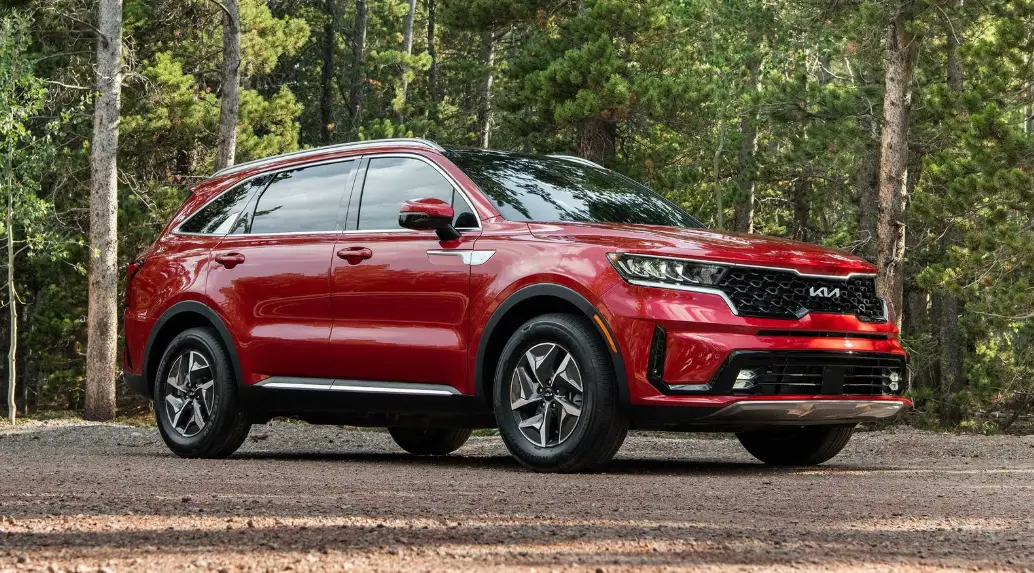

Display Setting: 2022 Kia Sorento Screen Messages Guide
The display choices on the 2022 Kia Sorento give drivers a lot of information and ways to make the car more personal, which makes driving more enjoyable overall. The easy-to-use touchscreen display gives drivers a lot of information and keeps them in charge. The screen messages give you a full picture of what’s going on with the car, from important readings like tire pressure and fuel economy to real-time navigation directions and multimedia data. Drivers can also change the settings for the display to make the information shown more relevant to them. This makes sure that everyone’s tastes are reflected in their dashboard. With simple controls, the 2022 Kia Sorento’s display settings put usefulness first and also help create a connected and seamless driving experience. This shows Kia’s dedication to making technology easy to use.
2023 – 2024 Kia Sorento Review, Price, Features and Mileage (brochure)
LCD Display
The LCD modes can be changed with the control buttons. LCD
LCD Display Control

 : MODE button for changing modes
 : MOVE switch for changing items
- OK: SELECT/RESET button for setting or resetting the selected item.
LCD modes
The LCD provides 5 modes. You can switch modes by pressing the Mode button.
LCD display LCD modes
| Mode |
|||||
 Driving Assist Driving Assist |
 Trip Computer Trip Computer |
|
 User Settings User Settings |
 Master warning Master warning |
|
 Up/Down Up/Down |
Lane Keeping Assist/ Smart Cruise Control*/ Navigation- based Smart Cruise Con- trol*/
Lane Following Assist/ Highway Driving Assist* |
Fuel Economy | Route Guidance | Head-Up Display Driver Assistance | The Master Warning mode displays warning messages related to the vehicle when one or more systems are not operating normally. |
| DAW | Accumulated Info | Destination Info | Lights | ||
| TPMS | Drive Info | Sound | |||
| Driving Force Distribution | DRIVE MODE | Door | |||
| Driving Style | Convenience | ||||
| Service Interval | |||||
| Others | |||||
| Reset | |||||
 Turn By Turn (TBT)*
The information provided may differ depending on which functions apply to your vehicle. if equipped
NOTICE: Keep the engine running when configuring the display settings to prevent the battery from discharging.
Trip computer mode

- The trip computer mode displays information related to vehicle driving parameters including fuel economy, tripmeter information and timer.
- For more details, refer to.
Turn By Turn (TBT) mode

This mode displays the state of the navigation.
Driving Assist mode

This mode displays the state of:
- Lane Safety
- Smart Cruise Control
- Driver Attention Warning
Information mode

This mode displays the state of:
- Speedometer
- Engine temperature
- Tire pressure
- AWD traction (if equipped)
Tyre pressure status
- This mode displays information related to Tire Pressure.
- For more details, refer to.
Master warning mode

This warning light informs the driver the following situations.
- LED headlamp malfunction
- Lamp malfunction
- High Beam Assist malfunction (if equipped)
At this time, a Master Warning icon ( ) will appear beside the User Settings icon (
 ), on the LCD. If the warning situation is solved, the master warning light will be turned off and the Master Warning icon will disappear.
User settings mode

In this mode, you can change the settings of the instrument cluster, doors, lamps, etc.
- Head-up display
- Driver Assistance
- Lights
- Sound
- Door
- Convenience
- Service Interval
- Other
- Reset
The information provided may differ depending on which functions apply to your vehicle.
Head-Up Display (if equipped)
| Items | Explanation |
| Enable Head-up display | If this item is checked, Head-Up Display will be activated. |
| Height | Adjust the height (1 ~ 20) of the HUD image on the HUD screen. |
| Rotation | Adjust the degree (-5 ~ +5) of the HUD rotation. |
| Brightness | Adjust the intensity (1 ~ 20) of the HUD brightness. |
| Content Selection | To select the content information on the HUD screen. |
Driver Assistance
| Items | Explanation |
|
Driving Convenience |
To adjust Highway Driving Assist.
• Highway Driving Assist • Highway Auto Speed Change To select the functions. * For more details, refer to |
|
Driver Attention Warning |
• Leading Vehicle Departure Alert To select the function.
• Inattentive Driving Warning To select the function. * For more details, refer to . |
|
Speed Limit Warning* |
• Speed Limit Offset
To select the Warning time • Speed Limit Assist/Speed Assist Warning/Off To select the functions. * For more details, refer to . |
| Warning Timing | • Normal/Late
To select the warning timing |
| Warning Volume | • High/Medium/Low/Off
To select the warning volume |
| Haptic Warning | If this item is checked, the Haptic Warning will be activated. |
|
Forward Safety |
To adjust Forward Collision-Avoidance Assist.
• Active Assist/Warning Only/Off To select the functions. * For more details, refer to . |
| Items | Explanation |
|
Lane Safety |
To adjust Lane Keeping Assist and Lane Following Assist
• Lane Keeping Assist/Lane Departure Warning/Off To select the functions. * For more details, refer to and . |
|
Blind-Spot Safety |
• Blind-Spot View
To activate or deactivate Blind-Spot View. • Safe Exit Assist (SEA) To activate or deactivate Safe Exit Assist. For more details, refer to . • Active Assist/Warning Only/Off * For more details, refer to . |
|
Parking Safety |
• Surround View Monitor Auto On
• Parking Distance Warning Auto On • Rear Cross-Traffic Safety To Activate or deactivate Rear Cross-Traffic Collision-Avoidance Assist. • Active Assist/Warning Only/Off * For more details, refer to . |
The information provided may differ depending on which systems apply to your vehicle.
Lights
| Items | Explanation |
| Illumination | To adjust the instrument cluster illumination. |
|
One Touch Turn Signal |
• Off: The one-touch turn signal function will be deactivated.
• 3, 5, 7 flashes: The turn signal indicator will blink 3, 5, or 7 times when the turn signal lever is moved slightly. * For more details, refer to. |
| Headlamp Delay | If this item is checked, the headlamp delay function will be activated. |
| High Beam Assist | If this item is checked, High Beam Assist will be activated. |
The information provided may differ depending on which functions apply to your vehicle.
Door
| Items | Explanation |
|
Automatically Lock |
• Enable on shift (for Automatic transmission): All doors will be automatically locked if the vehicle is shifted from the P (Park) position to the R (Reverse), N (Neutral), or D (Drive) position. (With the Engine ON, it is activated.)
• Enable on speed (for Automatic transmission): All doors will be automatically locked when the vehicle speed exceeds 15 km/h (9.3 mph) • Off: The auto door unlock operation will be cancelled. * If the setting is changed while the vehicle is in motion, the changed setting may not immediately operate. |
|
Automatically Unlock |
• On shift to P (for Automatic transmission): All doors will be automatically unlocked if the gear is shifted from R (Reverse), N (Neutral), or D (Drive position to P (Park) position. (With the Engine ON, it is activated.)
• Vehicle Off: All doors will be automatically unlocked when the igni- tion key is removed from the ignition switch or the ENGINE START/ STOP button is set to the OFF position. • Off: The auto door unlock operation will be cancelled. |
|
2 Press Unlock |
If this item is checked, the two-press unlock will be activated. Press the door unlock button once to unlock the driver’s door, and press the button once more within 4 seconds to unlock the rest of the doors. |
| Items | Explanation |
| Power Liftgate | If this item is checked, the Power Liftgate will be activated. |
| Power Liftgate Speed | • Normal/Fast
To adjust the power liftgate speed. |
| Power Liftgate Opening Height | • Level 1/Level 2/Level 3/Full Open/User Height Setting To select the height.
* For more details, refer to. |
| Smart Liftgate | To activate or deactivate the Smart Liftgate.
* For more details, refer to. |
The information provided may differ depending on which systems apply to your vehicle.
Sound
| Items | Explanation |
| Welcome Sound | If this item is checked, the welcome sound function will be activated. |
Convenience
| Items | Explanation |
| Seat Easy Access | • Off/Normal/Extended
To select the seat movement |
| Rear Occupant Alert | If this item is checked, the Rear Occupant Alert (ROA) dis-play will be activated. |
| Welcome Mirror/Light | • On Door Unlock/On Driver Approach
Select the welcome mirror/light function. |
| Wiper/Lights Display | If this item is checked, the wiper/lights display will be activated. |
|
Auto Rear Wiper (in R) |
If this item is checked, the Auto Rear Wiper will be activated when the front wiper is On and the gear is selected in R (Reverse). |
| Icy Road Warning | If this item is checked, the icy road warning display will be activated. |
|
Vehicle Auto-Shut Off |
• 60 min/30 min: To set the vehicle auto-shutoff timer
• Disable: The vehicle auto-shut-off function will be cancelled. * For more details, refer to. |
The information provided may differ depending on which functions apply to your vehicle.
Service interval
| Items | Explanation |
| Enable Service Interval | If this item is checked, the Service Interval function will be activated. |
| Adjust Interval | If the service interval menu is activated, you may adjust the time and distance. |
| Reset | To reset the service interval function. |
NOTICE: To use the service interval menu, consult an authorized Kia dealer.
If the service interval is activated and the time and distance are adjusted, messages are displayed in the following situations each time the vehicle is turned on.
- Service in: Displayed to inform the driver of the remaining mileage and days to service.
- Service required: Displayed when the mileage and days to service have been reached or passed.
If any of the following conditions occur, the mileage and number of days to service may be incorrect.
- The battery cable is disconnected.
- The battery is discharged.
- The fuse switch is turned off.
Others
| Items | Explanation |
|
Fuel Economy Reset |
• Off: The average fuel economy will not reset.
• After Ignition / After Refueling: The average fuel economy will reset automatically after ignition/refueling. |
| Speedometer Unit | • km/h, mph
Select the Speedometer unit. |
|
Fuel Economy Unit |
• L/100 km, US gallon, UK gallon To select the Fuel economy unit. For more details, refer to. |
| Temperature Unit | • /F//C
Select the Temperature unit. |
| Tire Pressure Unit | • psi, kPa
To select the Tire Pressure Unit |
The information provided may differ depending on which functions apply to your vehicle.
Reset
| Items | Explanation |
| Reset | You can reset the menus in the User Settings mode. All menus in the User Settings mode are reset to factory settings, except language and service interval. |
LCDs
- LCDs show the following information to drivers.
LCDs
- Trip information
- LCD modes
- Warning messages
Trip information (trip computer)
- LCDs trip information (trip computer) The trip computer is a microcomputer-controlled driver information system that displays information related to driving.
NOTICE
- Some driving information stored in the trip computer resets if the battery is disconnected.
Trip modes

Trip information (trip computer)trip modesTo change the trip mode, toggle the switch ( ) on the steering wheel.
Fuel economy
This information is always displayed at the bottom centre of the Full LCD cluster.
Average Fuel Economy (1)

- trip information (trip computer) fuel economyThe average fuel economy is calculated by the total driving distance and fuel consumption since the last average fuel economy resets.
- Fuel economy range: L/100 km or 0~99.9 mpg
NOTICE
The average fuel economy is not displayed for more accurate calculation if the vehicle does not drive more than 10 seconds or 0.03 mi (50 m) since the ignition switch or ENGINE START/STOP button is turned to ON.
Instant Fuel Economy (2)
- This mode displays the instant fuel economy during the last few seconds when the vehicle speed is more than 10 km/h (6.2 mph).
- Fuel economy range: 0.0 ~ 30 km/L, L/100 km or 0.0 ~ 50.0 mpg
Accumulated driving information mode
- trip information (trip computer) accumulated driving information modeThis display shows the accumulated trip distance, the average fuel efficiency, and the total driving time.

- Accumulated information is calculated after the vehicle has run for more than 300 m (0.19 miles).
- If you press the “OK” button for more than 1 second after the Cumulative Information is displayed, the information will be reset.
- If the engine is running, even when the vehicle is not in motion, the information will be accumulated.
Drive Info display
- trip information (trip computer) drive info displayThis display shows the trip distance (1), the average fuel efficiency (2), and the total driving time (3) information once per one ignition cycle.

- Fuel efficiency is calculated after the vehicle has run for more than 300 m (0.19 miles).
- The information will automatically reset when the driver’s door is opened after the ignition is turned off, or approximately 3 minutes have passed after the ignition is turned off.
- If the engine is running, even when the vehicle is not in motion, the information will be accumulated.
Information since refueling

- This display shows the trip distance, the average fuel efficiency, and the instant fuel efficiency (or the total driving time) since refuelling.
- Information since refuelling is calculated after the vehicle has run for more than 300 m (0.19 miles).
- If you press the “OK” button for more than 1 second after the information since refuelling is displayed, the information will be reset.
- If the engine is running, even when the vehicle is not in motion, the information will be accumulated.
NOTICE
The vehicle must be driven for a minimum of 300 m (0.19 miles) since the last ignition cycle before the average accumulated driving information is recalculated.
Digital speedometer
- This digital speedometer display shows the speed of the vehicle.

Service mode
- This mode reminds you of scheduled maintenance information.
- LCDs service mode service mode

Service Interval
- It calculates and displays when you need a scheduled maintenance service (mileage or days).
- If the remaining mileage or time reaches 1,500 km (900 miles) or 30 days, the “Service interval” message is displayed for several seconds each time you set the ignition switch or ENGINE START/STOP Button to the ON position.
Service required
- If you do not have your vehicle serviced according to the already inputted service interval, the “Service required” message is displayed for several seconds each time you set the ignition switch or ENGINE
- START/STOP Button to the ON position.
To reset the service interval to the mileage and days you inputted before:
- Select ‘Vehicle settings → Service Interval → Reset’.
NOTICE
- If any of the following conditions occur, the mileage and days may be incorrect.
- The battery cable is disconnected.
- The battery is discharged.
LCD messages
- LCD LCD messages LCD messages
The door, hood, liftgate, and sunroof open

- This warning is displayed indicating which door, the hood, the liftgate or the sunroof is open.
Low-pressure warning display

- This warning message is displayed if the tyre pressure is low.
- The corresponding tyre on the vehicle will be illuminated.
- For more details, refer to.
Lights mode

- This indicator displays which exterior light is selected using the lighting control.
- You can activate or deactivate the Wiper/Lights Display function from the User Settings mode in the cluster LCD.
Wiper mode

- This indicator displays which wiper speed is selected using the wiper control.
- You can activate or deactivate the Wiper/Lights Display function from the User Settings mode in the cluster LCD display.
Low washer fluid

- This warning message is displayed if the washer fluid level in the reservoir is nearly empty.
- Have the washer fluid reservoir refilled.
Icy road warning

- This warning is to warn the driver the road may be icy.
- When the following conditions occur, the warning light (including the outside temperature gauge) blinks 5 times and then illuminates, and also warning chime sounds once.
- The temperature on the outside temperature gauge is below approximately 4 /C (40 /F).
NOTICE
- If the icy road warning appears while driving, you should drive more attentively and safely refraining from over-speeding, rapid acceleration, sudden braking or sharp turning, etc.
Engine overheated
- This warning message illuminates when the engine coolant temperature is above 120 /C (248 /F). This means that the engine is overheated and may be damaged.
- If your vehicle is overheated, refer to.
Low key battery (for a smart key system)
- This warning message illuminates if the battery of the smart key is discharged when the ENGINE START/STOP Button changes to the OFF position.
Press the START button while turning the wheel (for the smart key system)
- This warning message illuminates if the steering wheel does not unlock normally when the ENGINE START/STOP Button is pressed.
- It means that you should press the ENGINE START/STOP Button while turning the steering wheel right and left.
The steering wheel is not locked (for the smart key system)
- This warning message illuminates if the steering wheel does not lock when the ENGINE START/ STOP Button changes to the OFF position.
Check the steering wheel lock system (for the smart key system)
- This warning message illuminates if the steering wheel does not lock normally when the ENGINE START/STOP Button changes to the OFF position.
Key not in a vehicle (for the smart key system)
- This warning message illuminates if the smart key is not in the vehicle when you press the ENGINE START/STOP Button.
- It means that you should always have the smart key with you.
Key not detected (for the smart key system)
- This warning message illuminates if the smart key is not detected when you press the ENGINE START/STOP Button.
Shift to P or N to start the engine (for the smart key system)
- This warning message illuminates if you try to start the engine with the gear not in the P (Park) or N (Neutral) position.
Press the brake pedal to start engine (for the smart key system)
- This warning message illuminates if the ENGINE START/STOP Button changes to the ACC position twice by pressing the button repeatedly without depressing the brake pedal.
- It means that you should depress the brake pedal to start the engine.
Battery discharging due to external electrical devices
- The vehicle can detect self-discharge of the battery due to overcurrent that is generated by unauthorized electrical devices such as dashboard camera (dash cam) mounting during parking.
- If the warning continues even after external electrical devices are removed, have your vehicle inspected by an authorized Kia dealer.
Press the START button again (for the smart key system)
- This warning message illuminates if you can not operate the ENGINE START/STOP Button when there is a problem with the ENGINE START/STOP Button system.
- It means that you can start the engine by pressing the ENGINE START/STOP button once more.
- If the warning illuminates each time you press the ENGINE START/STOP Button, have the vehicle inspected by an authorized Kia dealer.
Press the START button with the key (for the smart key system)
- This warning message illuminates if you press the ENGINE START/STOP Button while the warning message “Key not detected” is illuminating.
- At this time, the immobilizer indicator light blinks.
Check the BCW system (if equipped)
- This warning message is displayed if there is a problem with Blind spot Collision Warning.
- In this case, have the vehicle inspected by an authorized Kia dealer.
FAQs
You can access the display settings via the touchscreen interface on the central display.
Yes, the 2022 Kia Sorento allows for personalized display settings, letting you choose and prioritize the displayed information.
Screen messages include critical vehicle diagnostics such as tire pressure, fuel efficiency, and other alerts.
Yes, the display provides real-time navigation prompts to guide you during your journey.
The controls are designed to be intuitive and user-friendly, ensuring easy navigation through the settings.
Yes, the 2022 Kia Sorento will provide alerts regarding low fuel levels through screen messages.
Absolutely, the dashboard displays warnings for critical issues such as engine temperature and low tire pressure.
Yes, the interface is designed to be responsive, allowing for quick and efficient navigation through the display settings.
You can expect information about the current multimedia playback, including song details and media options.
Yes, there are options to clear or reset specific messages through the display settings.
Yes, the display may offer maintenance reminders and information about ongoing service needs.
Yes, safety-related messages are often accompanied by clear visual indicators to draw immediate attention.
The display enhances connectivity by providing real-time information, contributing to a connected and informed driving experience.
The display settings are crucial for monitoring vehicle health and play a significant role in proactive vehicle maintenance.
Useful Link
View Full PDF: 2022 Kia Sorento | Auto User Guide
2023 – 2024 Kia Sorento Review, Price, Features and Mileage (brochure)