
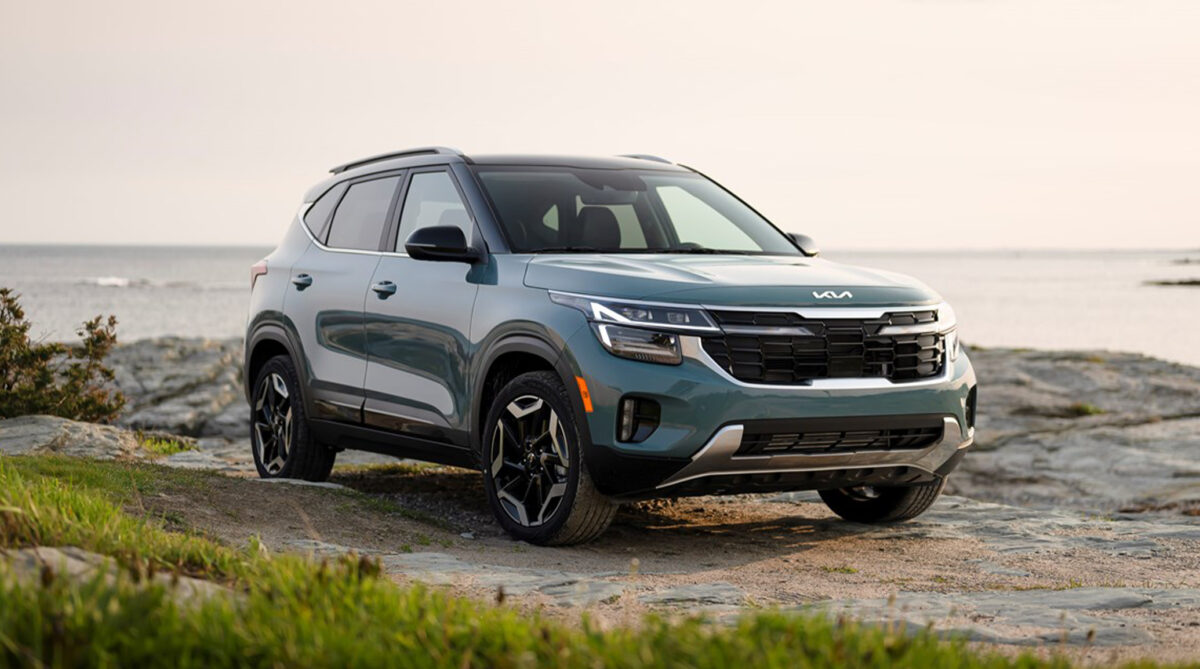

2025 Kia Seltos Keys and Smart Key User Guide
The functionality, usage advice, and troubleshooting techniques of the 2025 Kia Seltos keys and smart key features will all be covered in this guide. Find out how these cutting-edge tools improve drivers’ convenience and safety.
2024 Kia Seltos Review, Specs, Price and Mileage (Brochure)
Kia Features of your Vehicle Keys Guide
Record your key number The key code number is stamped on the key code tag attached to the key set. Should you lose your keys, this number will enable an authorized Kia dealer to dupli-cate the keys easily. Remove the key code tag and store it in a safe place. Also, record the key code number and keep it in a safe and handy place, but not in the vehicle.
WARNING
Aftermarket keys
Use only Kia original parts for the igni-tion key in your vehicle. If an aftermarket key is used, the ignition switch may not return to ON after START. If this hap-pens, the starter will continue to operate causing possible fire due to excessive current in the wiring.
Key operations
Folding key
To unfold the key, press the release but-ton then the key will unfold automati-cally.
CAUTION
Key button operation
Do not fold the key without pressing the release button. This may damage the key.
Smart key
To remove the mechanical key, press and hold the release button (1) and remove the mechanical key (2). To reinstall the mechanical key, put the key into the hole and push it until a click sound is heard.
WARNING
Ignition key
Never leave the keys in your vehicle with unsupervised children. Leaving children unattended in a vehicle with a manual ignition key or a smart key is dangerous. Children copy adults and they could place the key in the ignition switch or press the start button. The key would enable children to operate power win-dows or other controls, or even make the vehicle move, which could result in seri-ous bodily injury or death.
Remote keyless entry
Using the remote keyless entry, you can lock and unlock the doors remotely.
Remote keyless entry system operations
Folding key
Smart key – Type A
Smart key – Type B
Lock (1)
All doors are locked if the lock button is pressed. If all doors are closed, the haz-ard warning lights will blink and the chime will sound once (for smart key) to indicate that all doors are locked.
Also, if the lock button is pressed once more within 4 seconds, the hazard warn-ing lights will blink and the chime will sound once to confirm that the door is locked.
However, if any door remains open, the hazard warning lights (and/or the chime) will not operate. But if all doors are closed after the lock button is pressed, the hazard warning lights will blink once.
Unlock (2)
The driver’s door is unlocked if the unlock button is pressed once. The haz-ard warning lights will blink twice and the chime will sound twice (for smart key) to indicate that the driver’s door is unlocked.
All doors are unlocked if the unlock but-ton is pressed once more within 4 sec-onds. The hazard warning lights will blink (for smart key, the chime also sounds) twice again to indicate that all doors are unlocked.
To activate or deactivate 2 Press Unlock, select ‘User Settings → Door → 2 Press Unlock’ on the instrument cluster or
‘Setup → Vehicle → Door → 2 Press Unlock’ on the infotainment system.
After pressing this button, the doors will lock automatically unless you open any door within 30 seconds.
If you attempt to lock or unlock the door by pressing the door lock/unlock button in any of the following states, the door will not be locked or unlocked.
- When you want to lock or unlock the door in the ACC or ON state.
- When you want to lock a door in a car with one or more doors open.
INFORMATION
The infotainment system may change after software updates. For more infor-mation, refer to the user’s manual pro-vided in the infotainment system and the quick reference guide.
NOTICE
If the keyless entry system is inoperative due to exposure to water or liquids, it will not be covered by your manufacturer’s vehicle warranty.
Panic alarm (3)
The horn sounds and the hazard warn-ing lights blink for about 30 seconds if this button is pressed for more than 0.5 seconds. To stop the horn and lights, press any button on the transmitter.
Remote start (4) (if equipped)
You can start the vehicle using the remote start button (4) of the smart key.
To start the vehicle remotely:
- Lock the doors by pressing the door lock button (1) within 10 m (32 feet) distance from the vehicle.
- Press the remote start button for over 2 seconds within 4 seconds after lock-ing the doors and the hazard warning will blink.
Press the remote start button once to turn off the vehicle.
If no further action for operating/driving the vehicle is taken, the vehicle will be turned off 10 minutes after starting the vehicle remotely.
Liftgate open/close (5) (for power liftgate, if equipped)
If you press this button for longer than a second the liftgate will be opened.When the power liftgate is opened, press and hold the power liftgate open/close but-ton to close the liftgate. If you release the button while the liftgate is closing, power liftgate operation will stop with a warning sound for 5 seconds. Once the liftgate is opened and then closed, the liftgate will lock automatically when all doors are locked.
Remote keyless entry precautions
The remote keyless entry will not work if any of the following occurs:
- The ignition key is in the ignition switch. (if equipped)
- You exceed the operating distance limit (about 10 m [32 feet]).
- The battery in the remote keyless entry is weak.
- Other vehicles or objects may be blocking the signal.
- The weather is extremely cold.
- The remote keyless entry is close to a radio transmitter such as a radio sta-tion or an airport which can interfere with normal operation of the transmit-ter.
When the remote keyless entry does not work properly, open and close the door with the ignition key. If you have a prob-lem with the remote keyless entry, con-tact an authorized Kia dealer.
- If the remote keyless entry is in close proximity to your cell phone or smart phone, the signal from the remote keyless entry could be blocked by normal operation of your cell phone or smart phone. This is especially important when the phone is active such as making calls, receiving calls, text messaging, and/or sending/receiving emails. Avoid placing the remote keyless entry and your cell phone or smart phone in the same pants or jacket pocket and maintain adequate distance between the two devices.
Battery replacement
A battery should last for several years, but if the remote keyless entry is not working properly, try replacing the bat-tery with a new one.
Folding key
Smart key
If you are unsure how to use or replace the battery, contact an authorized Kia dealer.
- Remove the mechanical key (for smart key).
- Insert a slim tool into the slot and gently pry open the key cover.
- Loosen the retaining screw of the battery cover and then remove the cover (for folding key).
- Replace the battery with a new battery (CR2032). When replacing the battery, make sure the battery position is correct. If the battery is assembled with incor-rect polarity, it will discharge, render-ing the key unusable.
- Install the battery in the reverse order of removal. The remote keyless entry is designed to give you years of trouble-free use, how-ever it can malfunction if exposed to moisture or static electricity. If you are unsure how to use or replace the bat-tery, contact an authorized Kia dealer. Using the wrong battery can cause the remote keyless entry to malfunction. Be sure to use the correct battery.
 An inappropriately disposed battery can be harmful to the environment and human health. Dispose the battery according to your local law(s) or regula-tion.
WARNING
THIS PRODUCT CONTAINS A BUT-TON BATTERY
If swallowed, a lithium button battery can cause severe or fatal injuries within 2 hours. Keep batteries out of reach of children. If you think batteries may have been swallowed or placed inside any part of the body, seek immediate medical atten-tion.
CAUTION
Remote keyless entry damage
The remote keyless entry can malfunc-tion if dropped, exposed to moisture, static electricity, heat or direct sunlight.
This device complies with Indus-try Canada licence-exempt RSS standard(s).
Operation is subject to the following two conditions:
- This device may not cause interfer-ence, and
- This device must accept any interfer-ence, including interference that may cause undesired operation of the device.
NOTICE
Changes or modifications not expressly approved by the party responsible for compliance could void the user’s author-ity to operate the equipment. If the key-less entry system is inoperative due to changes or modifications not expressly approved by the party responsible for compliance, it will not be covered by your manufacturer’s vehicle warranty.
2024 Kia Seltos Review, Specs, Price and Mileage (Brochure)
WARNING
IC WARNING
This device complies with Industry Can-ada licence-exempt RSS standard(s). Operation is subject to the following two conditions:
- This device may not cause interfer-ence, and
- This device must accept any interfer-ence, including interference that may cause undesired operation of the device.
Smart key (if equipped)
Type A
Type B
With a smart key, you can lock or unlock a door and even start the engine without inserting the key. The functions of buttons on a smart key are similar to the folding key.
Refer to “Remote keyless entry” on page 4-8.
WARNING
Smart key
Never leave the keys in your vehicle with unsupervised children. Leaving children unattended in a vehicle with the smart key is dangerous even if the ENGINE START/STOP button is not in the ACC or ON position. Children copy adults and they could press the ENGINE START/STOP button. The key would enable chil-dren to operate power windows or other controls, or even make the vehicle move, which could result in serious bodily injury or death.
Smart key functions
Carrying the smart key, you may lock and unlock the vehicle doors (and lift-gate). Also, you may start the engine.
Locking
Button type
Touch sensor type
Pressing the button (for button type) or touching the door lock sensor (for touch sensor type) of the front driver side door handle with all doors (and liftgate) closed and any door unlocked, locks all the doors (and liftgate). If all doors (and liftgate) and engine hood are closed, the hazard warning lights will blink once and the chime will sound once to indicate. The button/touch sensor will only oper-ate when the smart key is within 0.7~1 m (28~40 inches) from the driver side door handle. If you want to make sure that a door has locked or not, you should check pull the driver side door handle. Even though you press the driver side door handle button/touch sensor, the doors will not lock and the chime will sound for 3 seconds if any of following occur:
- The smart key is in the vehicle.
- The ENGINE START/STOP button is in
the ACC or ON position. - Any door except the liftgate is open.
Unlocking
Button type
Touch sensor type
Pressing the button of the front outside door handle (for button type) or put your hand inside the door handle pocket (1) and touch the door unlock sensor on the inside of the outside door handle (for touch sensor type), with all doors (and liftgate) closed and locked, unlocks all the doors (and liftgate), if the 2 Press Unlock function is deactivated. The button/touch sensor will only oper-ate when the smart key is within 0.7~1 m (28~40 inches) from the outside door handle. When the 2 Press Unlock function is acti-vated:
- If you press the Door Unlock button on the smart key, the driver’s door will unlock.
- If you press the Door Unlock button on the smart key within four seconds again, then all the doors will unlock.
- If you press the driver’s outside door handle button or touch the door unlock sensor, the driver’s door will unlock.
- If you press the driver’s outside door handle button or touch the door unlock sensor, within four seconds again, then all the doors will unlock.
To activate or deactivate 2 Press Unlock, select ‘User Settings → Door → 2 Press Unlock’ on the instrument cluster or ‘Setup → Vehicle → Door → 2 Press Unlock’ on the infotainment system.
INFORMATION
The infotainment system may change after software updates. For more infor-mation, refer to the user’s manual pro-vided in the infotainment system and the quick reference guide.
Liftgate open
Press the liftgate handle switch carrying the smart key with you and open the lift-gate.Once the liftgate is opened and then closed, the liftgate will lock auto-matically when all doors are locked.
Start-up
You can start the vehicle without insert-ing the key.
For more information, refer to “ENGINE START/STOP button (if equipped)” on page 5-7.
NOTICE
Loss of the smart key
A maximum of 2 smart keys can be reg-istered to a single vehicle. If you happen to lose your smart key, you will not be able to start the vehicle. You should immediately take the vehicle and remaining key to your authorized Kia dealer (tow the vehicle, if necessary) to protect it from potential theft.
NOTICE
Smart key precautions
The smart key may not work if any of the following occur:
- The smart key is close to a radio transmitter such as a radio station or an airport which can interfere with normal operation of the smart key.
- The smart key is near a mobile two-way radio system or a cellular phone.
- Another vehicle’s smart key is being operated close to your vehicle.
When the smart key does not work cor-rectly, open and close the door with the mechanical key and contact an autho-rized Kia dealer.
If the smart key is in close proximity to your cell phone or smart phone, the sig-nal from the smart key could be blocked by normal operation of your cell phone or smart phone. This is especially important when the phone is active, such as when making calls, receiving calls, text messaging, and/or sending/receiving emails. Avoid placing the smart key and your cell phone or smart phone in the same pants or jacket pocket and maintain adequate distance between the two devices. Tinting the vehicle windows with film, especially metalized film, may interfere with receiving frequency transmitted by the smart key, reducing its operating range.
NOTICE
To prevent the electronic key from becoming damaged by magnetic fields, do not leave it near the following electri-cal appliances:
- TVs
- Personal computers
- Cellular phones, cordless phones and battery chargers
- Table lamps
- Induction cookers
NOTICE
If you have to leave the vehicle’s key with a parking attendant, remove the mechanical key for your own use and provide the attendant with the electronic key only.
NOTICE
When bringing a smart key onto an air-plane, make sure you do not press any button on the key while inside the cabin. If you are carrying the key in your bag etc., make sure that the buttons cannot be pressed accidentally. If you press a button, the key may emit radio waves that could interfere with the operation of the aircraft.
This device complies with Indus-try Canada licence-exempt RSS standard(s).
Operation is subject to the following two conditions:
- This device may not cause interfer-ence, and
- This device must accept any interfer-ence, including interference that may cause undesired operation of the device.
NOTICE
Changes or modifications not expressly approved by the party responsible for compliance could void the user’s author-ity to operate the equipment. If the key-less entry system is inoperative due to changes or modifications not expressly approved by the party responsible for compliance, it will not be covered by your manufacturer’s vehicle warranty.
Useful Links:
2024 Kia Seltos Review, Specs, Price and Mileage (Brochure)