
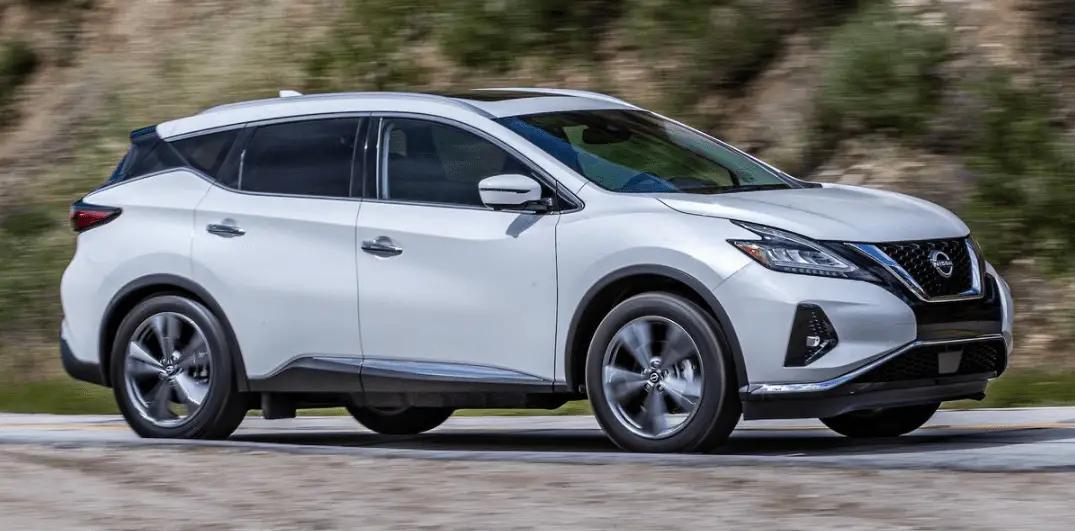

2024 Nissan Murano Instrument Panel | How to use Dashboard
The 2024 Nissan Murano has a state-of-the-art instrument panel that blends cutting-edge technology with an easy-to-use design, giving drivers a high-class and connected driving experience. The sleek and modern dashboard has a high-resolution digital display that shows important car information at a glance, like speed and fuel level, as well as controls for navigation and multimedia. The Murano makes the trip safer by incorporating advanced driver-assistance systems into the instrument cluster. The user-friendly design also makes it easy to use the car’s features. The Murano is also committed to providing both style and functionality, as shown by the instrument panel’s well-balanced use of high-quality materials and refined aesthetics. This makes it a standout choice in the midsize SUV segment for those seeking a balance between advanced technology and elegant design.
2024 Nissan Murano Specs, Price, Features, Features Mileage and Review
INSTRUMENT PANEL

- Vent
- Headlight/fog light (if so equipped)/turn signal switch
- Supplemental air bag.
Horn - Meters and gauges
Warning and indicator lights Vehicle information display - Wiper and washer switch
Rear window wiper and washer switch - Audio system/Center display controls*
- Hazard warning flasher switch
- Center display*
Navigation display (if so equipped)* - Front passenger supplemental air bag
- Glove box
- Front passenger supplemental knee air bag
- Front passenger air bag status light
- Power outlet
- USB ports*
AUX jack* - Heater and air conditioning controls
- Shift lever
- Push-button ignition switch
- Intelligent Cruise Control (ICC) switches
- Driver supplemental knee air bag
- Bluetooth® Hands-Free Phone System/Audio control switches*
- Hood release
Fuel door release - Fuse box
- Heated steering wheel switch (if so equipped)
Dynamic driver assistance switch
Liftgate instrument panel switch (if so equipped)
Vehicle Dynamic Control (VDC) OFF switch - Instrument brightness control Twin trip odometer reset switch
*: Refer to the separate NissanConnect ® Owner’s Manual.
Refer to the page number indicated in parentheses for operating details.
METERS AND GAUGES

- Tachometer
- Warning and indicator lights
- Vehicle information display Odometer
Twin Trip Odometer - Speedometer
- Fuel gauge
- Engine coolant temperature gauge
SPEEDOMETER AND ODOMETER
The vehicle is equipped with a speedometer and odometer. The speedometer is located on the right side of the vehicle in-formation display. The odometer is located within the vehicle information display.

Speedometer
The speedometer indicates the vehicle speed.

Odometer/Twin trip odometer
The odometer and the twin trip odometer
1O are displayed in the vehicle information display when the ignition switch is placed in the ON position.
The odometer records the total distance the vehicle has been driven.
The twin trip odometer records the distance of individual trips.
Changing the display
Pushing the TRIP RESET switch 1O located on the left side of the instrument panel changes the display as follows:
Odometer → TRIP A → TRIP B → Odometer Mile-age → Trip
Resetting the trip odometer
Pushing the TRIP RESET switch 1O for approximately 1 second resets the currently displayed trip odometer to zero.

TACHOMETER
The tachometer indicates engine speed in revolutions per minute (rpm). Do not rev engine into the red zone 1O.
CAUTION
When engine speed approaches the red zone, reduce engine speed. Operating the engine in the red zone may cause serious engine damage.

ENGINE COOLANT TEMPERATURE GAUGE
The gauge indicates the engine coolant temperature. The engine coolant temperature is within the normal range 1O when the gauge needle points within the zone shown in the illustration.
The engine coolant temperature varies with the outside air temperature and driving conditions.
CAUTION
If the gauge indicates coolant temperature near the hot (H) end of the normal range, reduce vehicle speed to decrease temperature. If the gauge is over the normal range, stop the vehicle as soon as safely possible. If the engine is overheated, continued operation of the vehicle may seriously damage the engine. For additional information, see “If your vehicle overheats” for immediate action required.

FUEL GAUGE
The gauge indicates the approximate fuel level in the tank.
The gauge may move slightly during braking, turning, acceleration, or going up or down hills.
The gauge needle returns to 0 (Empty) after the ignition switch is placed in the OFF position.
The low fuel warning message shows in the vehicle information display when the amount of fuel in the tank is getting low.
Refill the fuel tank before the gauge registers 0 (Empty).
The indicates that the fuel-filler door is located on the driver’s side of the vehicle.
CAUTION
- If the vehicle runs out of fuel, the Malfunction Indicator Light (MIL) may come on. Refuel as soon as possible. After a few driving trips, the light should turn off. If the light remains on after a few driving trips, have the vehicle inspected. It is recommended that you visit a NISSAN dealer for this service.
- For additional information, see “Mal-function Indicator Light (MIL)”.
DISTANCE TO EMPTY (DTE)
Displays the estimated distance the vehicle can be driven before refueling. The value is calculated based on recent fuel economy, the amount of fuel remaining in the fuel tank, and the actual fuel consumption.
Changes in driving patterns or conditions can cause the DTE value to vary. As a result, the value displayed may differ from the actual distance that can be driven.
DTE display will change to “—” when the fuel level in the tank is getting low, prior to the fuel gauge reaching 0 (Empty).
NOTE
- The DTE value after refill is estimated based on recent fuel economy and amount of fuel added.
- If a small amount of fuel is added, or the ignition is on during refueling, the display may not be updated.
- Conditions that affect the fuel economy will also affect the estimated DTE value (city/highway driving, idle time, remote start time, terrain, seasonal weather, added vehicle weight, added deflectors, roof racks, etc.).

ECO-DRIVE REPORT (if so equipped)
When the ignition switch is in the OFF position, the ECO management display appears.
- Previous 5 times (History)
- Current fuel economy
- Best fuel economy
The result of ECO evaluation is displayed 30 seconds after the ignition switch is placed in the ON position and the vehicle is driven at least 1/3 miles (500 meters).
- The average fuel economy for the previous 5 times will be displayed.
- The average fuel economy since the last reset will be displayed.
- The best fuel economy of the past history will be displayed.
The ECO Drive Report can be set to be ON or OFF.
FAQs
To start the engine, press the brake pedal and then the engine start/stop button while holding the clutch (if the vehicle is equipped with a manual transmission).
This light usually indicates a system alert. If this light appears, it is recommended that you consult the owner’s manual or seek service.
You can change the brightness of the instrument panel by using the dimmer control on the dashboard or by going to the vehicle settings in the infotainment system.
When your tire pressure is low, the Tire Pressure Monitoring System (TPMS) light will illuminate. Inspect the tire pressure and inflate as necessary.
To use cruise control, first press the ‘CRUISE’ button on the steering wheel, then set your desired speed by pressing ‘SET+’ or ‘SET-‘.
The Anti lock Braking System (ABS) light indicates a potential problem with the ABS. It is strongly advised that the vehicle be inspected by a professional.
Yes, the Murano’s instrument panel can be customized. To access and adjust the displayed information, use the controls on the steering wheel.
The navigation system is typically accessed through the infotainment screen of the vehicle and may display some directions or basic information on the instrument cluster.
The ‘Check Engine’ light indicates that there is a problem with the engine or the emission control system. It is strongly advised that the vehicle be inspected by a professional.
To select different display modes for the instrument panel, use the buttons on the steering wheel or navigate through the settings in the infotainment system.
The ‘Eco’ mode light indicates that the vehicle is in an environmentally friendly driving mode that maximizes fuel efficiency.
Press and hold the trip odometer reset button for a few seconds to reset the trip information displayed on the instrument panel.
During startup, the ‘AIRBAG’ light briefly illuminates as part of a system check. If it remains lit or flashes while driving, there may be an issue that needs to be addressed.
No, steering wheel adjustments are typically manual or power-assisted and are not controlled by the instrument panel.
The ‘Low Fuel’ warning light illuminates to indicate low fuel levels. To avoid running out of fuel, it is best to refuel as soon as possible.
Useful Links
View Full Link: 2024 Nissan Murano Owner’s Manual| Auto User Guide
2024 Nissan Murano Displays Control System | How to use
2024 Nissan Murano Specs, Price, Features, Features Mileage and Review