

2024 Hyundai Elantra Cluster Display User Manual
Discover 2024 Hyundai Elantra Cluster Display features. Gauges, warning lights, and digital indicators can help you monitor your car and improve your driving experience.
2023 – 2024 Hyundai Elantra Review, Price, Features and Mileage (brochure)
Video: 2024 Hyundai Elantra Dashboard Indicators
Hyundai CLUSTER DISPLAY (TYPE A)
Cluster Display Control
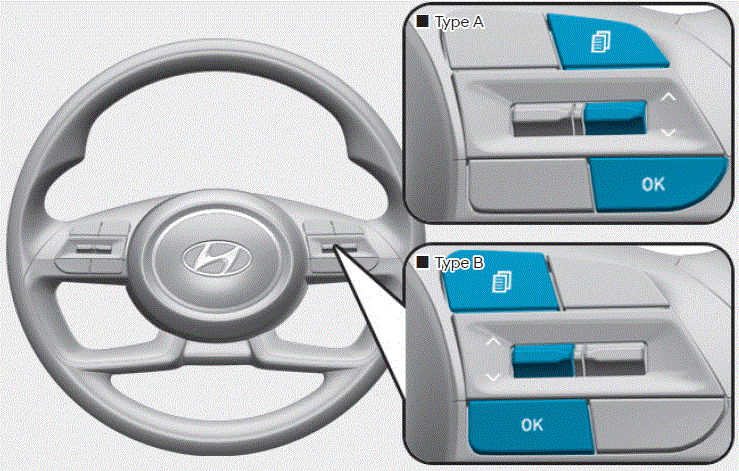
The cluster display modes can be changed by using the control buttons.
- .
 : MODE button for changing modes
 : MOVE switch for changing items
- OK: Push the SELECT/RESET button for setting or resetting the selected item
Information
When the infotainment system is applied, only the User’s Setting mode on the infotainment system is supported but the User’s Setting mode on the instrument cluster is not supported.
Cluster Display Modes
|
Modes |
Symbol |
Explanation |
|
Driving Assist |
|
– Smart Cruise Control – Lane Keeping Assist – Lane Following Assist |
|
Trip Computer |
|
This mode displays driving information such as the tripmeter, fuel economy, etc. For more details, refer to “Trip Computer” in this chapter. |
|
Turn By Turn (TBT) |
|
This mode displays the state of the navigation. |
|
User Settings |
|
In this mode, you can change the settings of the doors, lights, etc. |
|
Warning |
 |
|


The information provided may differ depending on which functions apply to your vehicle.
Trip computer mode
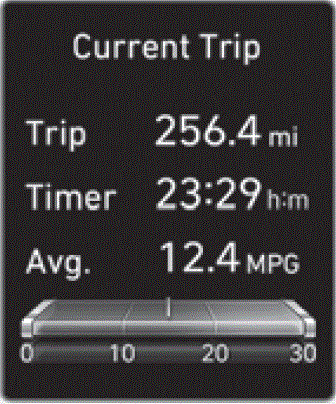
The trip computer mode displays information related to vehicle driving parameters including fuel economy, trip meter information and vehicle speed.
Turn By Turn (TBT) mode
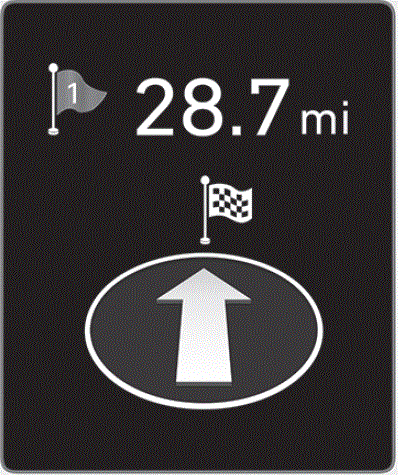
This mode displays the state of the navigation.
Driving Assist mode
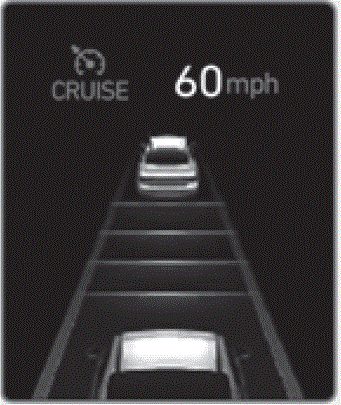
LKA/SCC
This group displays the state of the Smart Cruise Control, Lane Keeping Assist.
Master warning mode
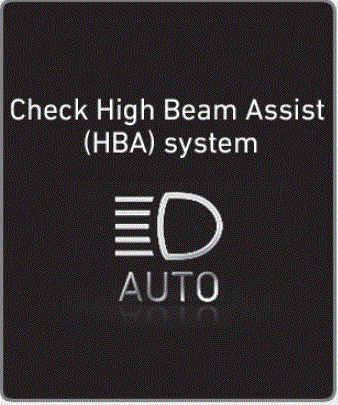
This warning light informs the driver of the following situations.
- Forward Collision-Avoidance Assist malfunction
- Forward Collision-Avoidance Assist radar blocked
- Blind-Spot Collision-Avoidance Assist malfunction
- Blind-Spot Collision-Avoidance Assist radar blocked
- High Beam Assist malfunction
- Lamp malfunction
- Smart Cruise Control malfunction
- Tire Pressure Monitoring System (TPMS) malfunction
The Master Warning Light illuminates if one or more of the above warning situations occur. At this time, a Master Warning icon
, on the cluster display. If the warning situation is solved, the master warning light will be turned off and the Master Warning icon will disappear.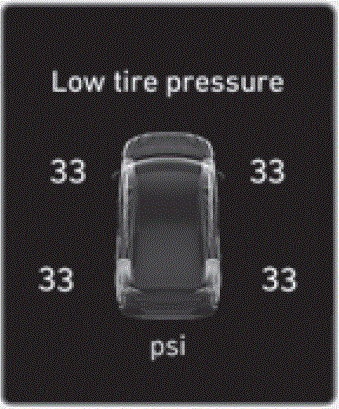
Tire Pressure
This mode displays information related to Tire Pressure.
User Settings Mode
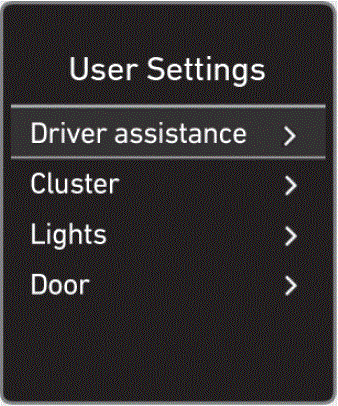
In this mode, you can change the settings of the instrument cluster, doors, lamps, etc.
- Driver assistance
- ECO Vehicle
- Cluster
- Lights
- Door
- Convenience
- Units
- Language
- Reset
The information provided may differ depending on which functions are applicable to your vehicle.
Shift to P to edit settings / Engage parking brake to edit settings
This warning message illuminates if you try to select an item from the User Settings mode while driving.
- Dual-clutch transmission
For your safety, change the User Settings after parking the vehicle, applying the parking brake and moving the shift lever to P(Park).
Quick guide (Help)
This mode provides quick guides for the systems in the User Settings mode.
Select an item, press and hold the OK button.
Driver Assistance
|
Items |
Explanation |
|
Driving Convenience |
To set the Distance, Acceleration, and Reaction Speed of Smart Cruise Control |
|
Warning Methods |
To adjust the warning methods of the driver assistance system.
|
|
Driver Attention Warning |
To activate or deactivate the Leading vehicle departure alert. |
|
Driving Safety |
To activate or deactivate the Forward Safety.
To adjust the Forward Safety warning timing of the driver assistance system.
To activate or deactivate the Lane Safety.
To activate or deactivate the Blind-Spot Safety.
To activate or deactivate the Exit Safety. |
|
Parking Safety |
To activate or deactivate Parking Distance Warning Auto On.
To activate or deactivate Rear Cross-Traffic Safety. |
Cluster
|
Items |
Explanation |
|
Theme Selection |
To activate or deactivate the service interval function.
|
|
Wiper/Lights Display |
When the wiper switch or light switch is operated while the wiper/light mode display function is set, the selected position is temporarily displayed on the cluster. When it is off, it doesn’t show up. |
|
Traffic Signs |
To activate or deactivate the traffic information. |
|
Icy Road Warning |
To activate or deactivate the icy road warning function. |
|
Cluster Voice Guidance Volume |
To adjust the cluster voice guidance volume. |
|
Welcome Sound |
To activate or deactivate the welcome sound. |
Lights
|
Items |
Explanation |
|
Illumination |
Adjust the illumination level.
|
|
One Touch Turn Signal |
|
|
Headlight Delay |
|
|
High Beam Assist |
|
Door
|
Items |
Explanation |
|
Auto Lock |
|
|
Auto Unlock |
|
|
Two Press Unlock |
|
|
Horn Feedback |
To activate or deactivate the horn feedback. |
|
Smart Trunk |
To activate or deactivate the smart trunk. |
Convenience
|
Items |
Explanation |
|
Seat Easy Access |
|
|
Rear Occupant Alert |
|
|
Service Interval |
When the ‘Enable Service Interval’ function is set, you can enter the mileage (km) and duration (months). |
|
Welcome Mirror/Light |
|
|
Wireless Charging System |
To activate or deactivate the wireless charging system in the front seat. |
Units
|
Items |
Explanation |
|
Speed Unit (if equipped) |
To select the speed unit. (km/h, MPH) |
|
Temperature Unit |
Select the temperature unit. (°C,°F) |
|
Fuel Economy Unit |
To select the fuel economy unit. (km/L, L/100km, MPG) |
|
Tire Pressure Unit |
Select the tyre pressure unit. (psi, kPa, bar) |
Language
|
Items |
Explanation |
|
Language |
Choose the language. You can choose the language in the infotainment system. |
Reset
|
Items |
Explanation |
|
Reset |
You can reset the menus in the User Settings Mode. All menus in the User Settings Mode are reset to factory settings, except language and service interval. |
Useful Links
View Full PDF: 2024 Hyundai Elantra Hybrid Owner’s Manual|Auto User Guide
2023 – 2024 Hyundai Elantra Review, Price, Features and Mileage (brochure)
2024 Hyundai Elantra Warning Lights and Indicator Guide