
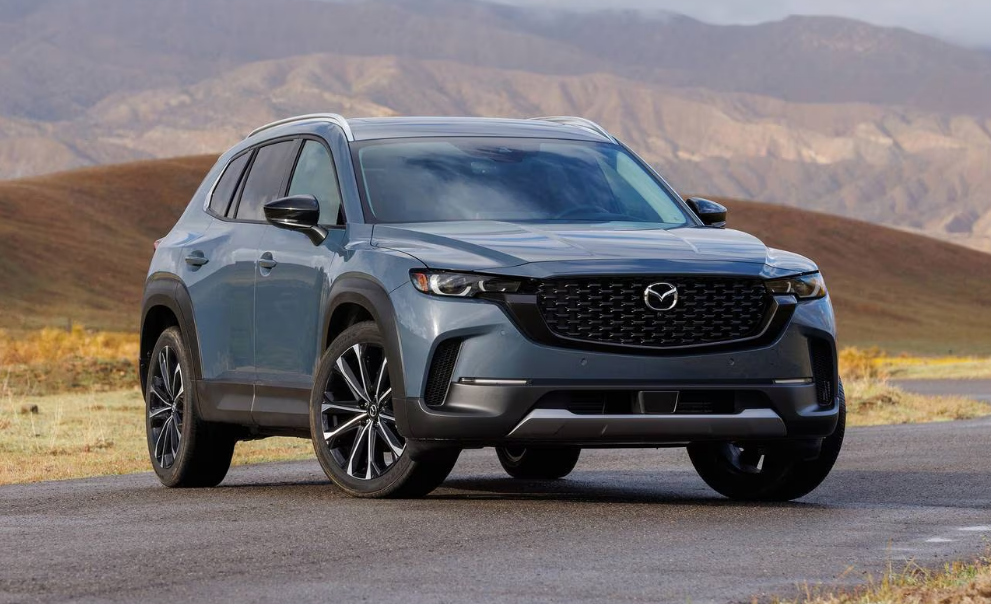

2025 Mazda CX 50 Cruise Control User Guide
Discover the advanced cruise control features of the 2025 Mazda CX-50. This guide explores its functionality, benefits, and tips for seamless highway driving. Elevate your driving experience with Mazda’s innovative technology designed for comfort and efficiency.
2024 MAZDA CX-50 Specs, Price, Features, Mileage (Brochure)
Cruise Control
Cruise control reduces the load on the driver by driving the vehicle at a constant speed. The vehicle is driven at the preset speed and maintaining a constant vehicle speed without the driver having to depress the accelerator or brake pedal.
Warnings and Cautions for Using the Cruise Control
WARNING
Do not rely completely on the cruise control.
The functions of the cruise control have limitations. Always drive carefully by checking the safety of your surroundings and depressing the brake or accelerator pedal.
Do not use the cruise control under the following conditions. Otherwise, it may result in an accident.
- The vehicle is driven on roads other than highways.
- The vehicle is driven on roads with sharp curves or with heavy traffic where sufficient distances between vehicles cannot be kept.
- The vehicle is driven on slippery roads such as icy or snow-covered roads, and unpaved roads.
- The vehicle is driven on a long downslope.
- The vehicle is driven on a steep slope.
Turn off the cruise control when not in use.
Leaving the cruise control turned on when it is not in use is dangerous as it could operate unexpectedly, resulting in an accident.
CAUTION
- Turn off the cruise control when being towed or when towing another vehicle.
- Turn off the cruise control when the vehicle is running on a chassis roller.
How to Use the Cruise Control
Setting the cruise control
- Press the cruise control switch to turn the system on.

When the system is on, the cruise control standby indication (white) is displayed.
- Accelerate the vehicle to the desired speed of 25 km/h (16 mph) or faster (minimum speed setting is 30 km/h (19 mph)).
- Set the vehicle speed by pressing the RES switch up (SET+) or down (SET-).

When the vehicle speed is set, the set vehicle speed is displayed on the displays and the cruise control standby indication (white) changes to the cruise control set indication (green) 
While the cruise control is operating, the driver is notified of the operation condition by the screen display.
Instrument cluster (i-ACTIVSENSE display)

Set speed
Instrument cluster (Other than i-ACTIVSENSE display) 
Set speed
Active driving display 
Set speed
NOTE
- The accelerator pedal operation takes priority during constant speed driving. When you release your foot from the accelerator pedal, the vehicle returns to constant speed driving at the set speed.
- If the distance between vehicles control is disabled using the Mazda Connect, the system switches to the cruise control. At this time, the MRCC switch functions as the cruise control switch.
- Set using “Settings” on the Mazda Connect home screen or consult an Authorized Mazda Dealer.
- If the vehicle power is switched OFF while the distance between vehicles control is disabled, the distance between vehicles control is enabled automatically the next time the vehicle power is switched ON.
- The system may not be able to maintain the set speed depending on the road conditions such as steep up or down slopes.
- When the vehicle speed is less than 20 km/h (12 mph), the cruise control is canceled. If you want to use the cruise control again, reset the cruise control.
- The brake lights turn on while the brakes are operating by the cruise control.
- While driving the vehicle using cruise control, the cruise control will not be canceled and engine braking will not be applied even if the transmission is shifted down to a lower gear manually. If deceleration is required, lower the set vehicle speed or depress the brake pedal.
Changing the set vehicle speed
Changing the set vehicle speed using the RES switch
Press the RES switch up (SET+) or down (SET-) to the desired speed.
- Press and release immediately: 1 km/h (1 mph)
- Press and hold: 10 km/h (5 mph)
Changing the set vehicle speed using the accelerator pedal
Depress the accelerator pedal until the vehicle speed reaches the desired speed, then press the RES switch up (SET+) or down (SET-).
The cruise control is temporarily canceled
The cruise control is temporarily canceled when one of the following conditions is met.
- The brake pedal is depressed.
- The CANCEL switch is pressed one time.
- The DSC has operated.
- The Smart Brake Support (SBS) has operated.
- The frequency of the braking operation by the cruise control is high.
If the cruise control is temporarily canceled, it operates at the previously set speed by pressing the RES switch.
Turning off the cruise control
Press the cruise control switch. The cruise control standby indication (white) /cruise control set indication (green) turns off and the cruise control stops.
Useful Links:
2024 MAZDA CX-50 Specs, Price, Features, Mileage (Brochure)