
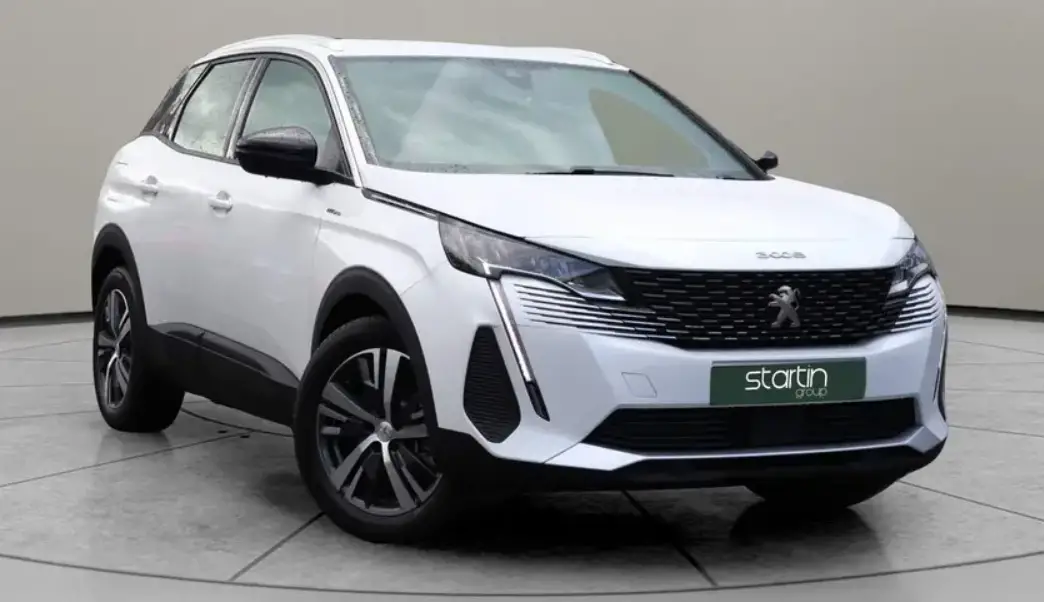

2023 Peugeot 2008 Instrument Panels Guide
The instrument panel of the 2023 Peugeot 2008 integrates innovation, aesthetics, and functionality in a seamless manner. This automotive design marvel not only provides the motorist with essential information, but also enhances the overall driving experience. Focusing on cutting-edge technology and user-friendly features, the instrument panel of the 2023 Peugeot 2008 exemplifies the company’s dedication to excellence. In this introduction, we will examine the key elements and features that make the instrument panel of the 2023 Peugeot 2008 a standout feature in this remarkable vehicle. The instrument panel, with its high-resolution displays and intuitive controls, ushers in a new era of driving delight.
Instrument Panel
The instrument panel displays all the information the driver needs about the status of the vehicle’s various systems.
This information appears in the form of warning and indicator lamps and messages.
The instrument panel is in the form of a fully digital screen.
Head-up digital Display
This digital instrument panel can be customised. Depending on the display mode selected, certain information is hidden or presented differently. Example with the “DIALS” display mode:

- Fuel gauge
Analogue speedometer (mph or km/h) - Gear shift indicator
Selector position and gear engaged on automatic gearbox - Digital speedometer (mph or km/h)
- Cruise control or speed limiter settings Display of speed limit signs
- Rev counter (x 1,000 rpm)
- Engine coolant temperature indicator (°C)
- Trip distance recorder (miles or km)
- Total distance recorder (miles or km)
- Instrument panel ambient lighting on/off
Short press: start a manual test
Long press: reset the service indicator or trip distance recorder (depending on the context)
Head-up digital display
(Rechargeable hybrid)
This digital instrument panel can be customised. Depending on the display mode selected, certain information is hidden or presented differently. Example with the “Energy” display mode:

- Fuel gauge and remaining range (miles or km)
- Digital speedometer (mph or km/h) READY indicator lamp
- Status of the gearbox
- Energy flows
- Driving mode selected
- Power indicator
- Battery charge level and remaining range (miles or km)
- Trip distance recorder (miles or km)
- Total distance recorder (miles or km)
- A. Instrument panel ambient lighting on/off
B. Short press: start a manual test
Long press: reset the service indicator or trip distance recorder (depending on the context)
In all-electric driving mode, the speed is displayed in blue.
Displays
Some lamps have a fixed location, others can change location.
For certain functions that have indicator lamps for both operation and deactivation, there is only one dedicated location.
Permanent information
In the standard display, the instrument panel shows:
- in fixed locations:
- Information related to the gearbox and gear shift indicator (Petrol or Diesel).
Information related to the drive selector
(Electric).
Fuel gauge (Petrol or Diesel).
Range (Petrol or Diesel).
Coolant temperature indicator (Petrol or Diesel).
Charge level and range indicator (Electric).
Power indicator (Electric).
Driving mode. - in variable locations:
- Digital speedometer.
- Total distance recorder.
- Status or alert messages displayed temporarily.
Optional information
Depending on the selected display mode and active features, additional information may be displayed:
- Rev counter (Petrol or Diesel).
Trip computer. - Driving aid functions.
Speed limiter or cruise control.
Media currently playing.
Navigation instructions.
Analogue speedometer.
Engine information (G-meters, Power-meters, Boost, Torque) in Sport mode.
Energy flows (Electric).
Customising the instrument panel
Depending on version, the appearance of the instrument panel may be customisable (colour and/or display mode).
Display language and units
These depend on the touch screen settings.
Choice of display colour (Petrol or Diesel)
Depending on version, the instrument panel display colour depends on the colour scheme chosen in this system.
The settings are changed via the Settings touch screen menu.
Choosing the display mode In each mode, specific types of information are displayed on the instrument panel.

- Turn the thumbwheel on the left of the steering wheel to display and scroll through the various modes on the instrument panel.
Press the thumbwheel to confirm the mode. If you do not press the thumbwheel, the selected display mode is automatically applied after a few moments.
Display Modes
- “Dials”: standard display of analogue and digital speedometers, distance recorders and:
- fuel gauge, coolant temperature indicator and rev counter (Petrol or Diesel).
- fuel gauge, battery charge level indicator and power indicator (Rechargeable hybrid).
- “Navigation”: specific display, showing current navigation information (map and instructions).
- “Driving”: specific display, showing information relating to active driving aid systems.
- “Minimum”: minimal display with digital speedometer and distance recorders, and in the event of a warning only, fuel gauge and coolant temperature indicator.
- “Energy”: specific display, showing a visual representation of the vehicle’s energy flows
(Rechargeable hybrid). - “Personal”: minimal display, with the ability to select and display optional information in the personalisable areas on the left and right.
Configuring a “Personal” display mode With PEUGEOT Connect Radio
 Press Settings in the banner of the touch screen.
Select “Configuration”.
Select “Instrument panel personalisation”.
With PEUGEOT Connect Nav
- Press Settings in the banner of the touch screen.
-
FAQs
The 2023 Peugeot 2008 features a digital instrument panel with a high-resolution display.
Yes, you can customise the displayed information, including navigation data, vehicle statistics, and more.
Yes, the instrument panel is touch-sensitive, allowing for simple manipulation of various functions.
The size of the instrument panel screen differs by trim level but ranges from 5.5 to 12 inches.
Yes, it supports smartphone integration, allowing you to connect your phone and access applications seamlessly.
Yes, climate settings can be controlled and adjusted through the instrument panel for added convenience.
The high-resolution display is designed to be legible in a variety of lighting conditions, including direct sunlight.
Yes, the instrument panel displays real-time information on various aspects of your vehicle’s performance, such as fuel economy and speed.
It displays driver assistance features such as lane-keeping assist and adaptive cruise control.
You can choose from a variety of display themes to suit your preferences.
Depending on the trim level, some models may offer voice-activated controls for the instrument panel functions.
Yes, it provides turn-by-turn navigation instructions with explicit on-screen directions.
The resolution varies, but the finest quality displays can reach 1920 x 720 pixels.
Yes, it is intended to maximise nighttime visibility while minimising distractions.
Yes, Peugeot routinely releases software updates to improve functionality and add new features, making it simple to keep your instrument panel up to date.
Useful Link
View Full PDF : 2023 Peugeot 3008 User Manual | Auto User Guide
2023 Peugeot 3008 Technical Data Guidelines