
2021 Nissan Altima Instrument Panel Dashboard | How to use
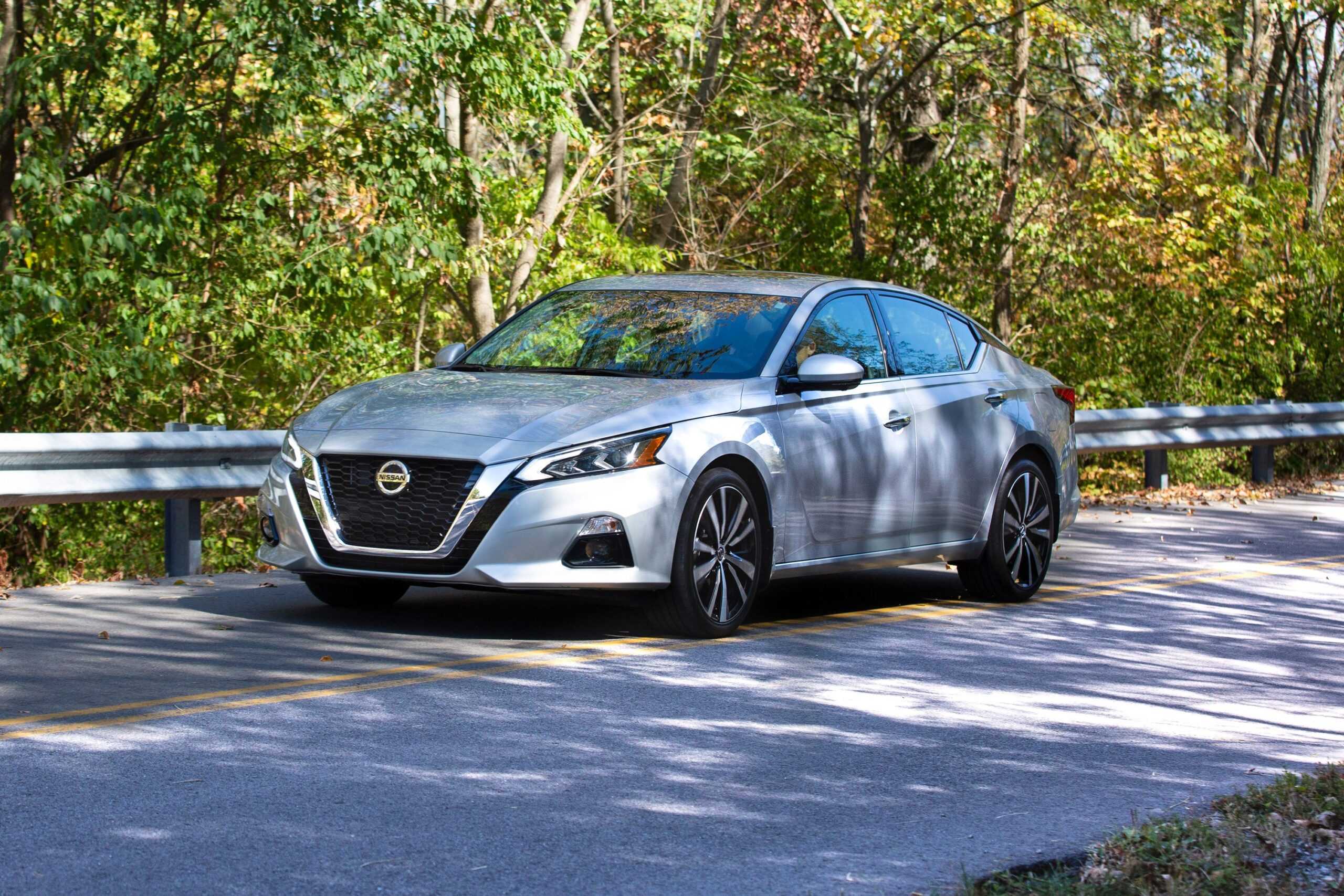
The 2021 Nissan Altima has a modern and easy-to-use instrument panel dashboard that is meant to make driving more enjoyable. The dashboard has a clean, easy-to-use layout with a bright touchscreen display in the middle that makes it simple to reach different entertainment and vehicle control features. With easy-to-use buttons and clear gauges, the dashboard makes it easy to find your way around, so drivers can keep their eyes on the road. The Altima is a high-tech and connected car because it has advanced technology built into the instrument panel, like features that let you connect your smartphone and help the driver. The 2021 Nissan Altima’s instrument panel is a great example of innovation and convenience for a smooth driving experience, whether you’re changing the climate settings, getting to navigation, or managing entertainment choices.
2023 Nissan Altima Review, Specs, Price, And Mileage (Brochure)
INSTRUMENT PANEL
- Vents
- Steering wheel switches for audio control* Vehicle information display controls
- Headlight/fog light (if so equipped)/ turn signal switch Paddle shifters (if so equipped)
- Driver supplemental air bag Horn
- Meters and gauges Warning and indicator lights Vehicle information display
- Wiper and washer switch
- Heater and air conditioner Heated seat switches (if so equipped) Heated steering wheel switch (if so equipped)
- Navigation system* (if so equipped) Audio system*
- Front passenger supplemental airbag
- Front passenger supplemental knee airbag
- Glove box
- Front passenger air bag status light Hazard warning flasher switch
- Power outlet USB connection port (if so equipped) Aux jack*
- Cup holders
- Shift lever
- Electronic parking brake switch (if so equipped) Automatic brake hold switch (if so equipped)
- Push-button ignition switch
- Cruise control switches (if so equipped) Bluetooth® Hands-free Phone System* ProPILOT Assist Switch (if so equipped)
- Driver supplemental knee airbag
- Hood release Fuel-filler door release Tilt/telescopic steering wheel controls
- Trip computer reset switch Instrument brightness control Steering assist switch (for vehicles with ProPILOT Assist) (if so equipped)
Trunk opener
For additional information, refer to the separate NissanConnect® Owner’s Manual.
Refer to the page number indicated in parentheses for operating details.
METERS AND GAUGES
- Tachometer
- Warning and indicator lights
- Vehicle information display
- Speedometer
- Fuel gauge
- Engine coolant temperature gauge
SPEEDOMETER AND ODOMETER
This vehicle is equipped with a speedometer and odometer. The speedometer is located on the right side of the meter cluster. The odometer is located within the vehicle information display.
5 inch (13 cm) Type A (if so equipped)
Speedometer
The speedometer indicates vehicle speed.
7-inch (18 cm) Type B (if so equipped)
5 inch (13 cm) Type A (if so equipped)
Odometer/Twin trip odometer
The odometer and the twin trip odometer 1O are displayed in the vehicle information display when the ignition switch is placed in the ON position.
The odometer records the total distance the vehicle has been driven.
The twin trip odometer records the distance of individual trips.
7-inch (18 cm) Type B (if so equipped)
Changing the display
Push the TRIP RESET switch 2O on the left side of the instrument panel to change the display as follows:
Odometer Mileage A → Trip B→ Trip→ Odometer Mileage
Resetting the trip odometer
Push the TRIP RESET switch O2 until the desired trip odometer (Trip A or Trip B) is displayed Pushing the TRIP RESET switch 2O for more than 1 second resets the currently displayed trip odometer to zero.
5 inch (13 cm) Type A (if so equipped)
TACHOMETER
The tachometer indicates engine speed in revolutions per minute (rpm). Do not rev the engine into the red zone 1O.
CAUTION
When engine speed approaches the red zone, shift to a higher gear or reduce engine speed. Operating the engine in the red zone may cause serious engine damage.
7-inch (18 cm) Type B (if so equipped)

5 inch (13 cm) Type A (if so equipped)
ENGINE COOLANT TEMPERATURE GAUGE
The gauge indicates the engine coolant temperature. The engine coolant temperature is within the normal range of 1O when the gauge needle points within the zone shown in the illustration.
The engine coolant temperature varies with the outside air temperature and driving conditions.
7-inch (18 cm) Type B (if so equipped)
2023 Nissan Altima Review, Specs, Price, And Mileage (Brochure)
CAUTION
If the gauge indicates coolant temperature near the hot (H) end of the normal range, reduce vehicle speed to decrease temperature. If the gauge is over the normal range, stop the vehicle as soon as safely possible. If the engine is overheated, continued operation of the vehicle may seriously damage the engine. For additional information, see “If your vehicle overheats” (P. 6-13) for immediate action required.
FUEL GAUGE
The gauge indicates the approximate fuel level in the tank.
The gauge may move slightly during braking, turning, acceleration, or going up or down hills.
The gauge needle returns to 0 (Empty) after the ignition switch is placed in the OFF position.
The low fuel warning message shows in the vehicle information display when the amount of fuel in the tank is getting low.
Refill the fuel tank before the gauge registers 0 (Empty).
This indicates that the fuel-filler door is located on the driver’s side of the vehicle.
CAUTION
- If the vehicle runs out of fuel, the Malfunction Indicator Light (MIL) may come on. Refuel as soon as possible. After a few driving trips, the light should turn off. If the light remains on after a few driving trips, have the vehicle inspected? It is recommended that you visit a NISSAN dealer for this service.
- For additional information, see “Malfunction Indicator Light (MIL)”.
DISTANCE TO EMPTY (DTE)
Displays the estimated distance the vehicle can be driven before refueling. The value is calculated based on recent fuel economy, the amount of fuel remaining in the fuel tank, and the actual fuel consumption.
Changes in driving patterns or conditions can cause the DTE value to vary. As a result, the value displayed may differ from the actual distance that can be driven.
DTE display will change to “—” when the fuel level in the tank is getting low before the fuel gauge reaches 0 (Empty).
NOTE:
- The DTE value after refill is estimated based on recent fuel economy and the amount of fuel added.
- If a small amount of fuel is added, or the ignition is on during refueling, the display may not be updated.
- Conditions that affect the fuel economy will also affect the estimated DTE value (city/highway driving, idle time, remote start time, terrain, seasonal weather, added vehicle weight, added deflectors, roof racks, etc.).

VARIABLE COMPRESSION TURBO (if so equipped)
Your engine is equipped with a variable compression ratio system called “Variable Compression Turbo”. This system can vary the engine compression ratio continuously.
According to driving conditions, the system applies optimum compression ratio automatically to achieve both high output and high fuel economy efficiency.
This is not a physical gauge. It is a display option in the vehicle information display that can be selected. For additional information, see “Vehicle information display”.
- Compression ratio status display Displays the status of compression ratio controlled by Variable Compression Turbo. The lowest compression ratio (8:1) and the highest (14:1) are displayed as “Power” and ”ECO” respectively.
- The turbocharger boost pressure gauge Displays the turbocharger boost pressure.
NOTE:
Under some conditions, the compression ratio may not change. This is not a malfunction of the system.
CAUTION
If the Variable Compression Turbo becomes faulty, the Malfunction Indicator Light (MIL) may come on. For additional information, see “Malfunction Indicator Light (MIL)”
FAQs
The main screen typically displays speed, fuel level, engine temperature, and other essential vehicle information.
Use the brightness control knob located near the instrument panel to adjust the brightness of the lights.
Some models may allow customization. Check the settings menu on the central display to see if there are options to personalize the information.
The exclamation mark warning light usually indicates a problem that requires immediate attention.
Use the buttons on the steering wheel to navigate through the different display options available on the instrument panel.
Yes, the Altima typically comes with a Tire Pressure Monitoring System (TPMS). You can check the tire pressure through the central display in the instrument panel.
Yes, there is usually an option in the settings menu to reset the trip computer and fuel economy information.
The blue light often indicates that the high-beam headlights are engaged. It should turn off when the high beams are switched off.
Use the cruise control buttons on the steering wheel to set the desired speed, increase or decrease speed, and turn the system on/off.
Some Altima models come equipped with a lane departure warning system. It alerts you if the vehicle unintentionally drifts out of its lane without using the turn signal.
The “ECO” mode is designed to improve fuel efficiency. You can usually activate it through the settings menu on the central display.
Yes, Altima typically supports smartphone connectivity through Bluetooth or USB. Follow the instructions in the owner’s manual to pair your device.
The check engine light on the instrument panel will illuminate if there is a potential issue with the engine. It’s essential to have the vehicle inspected when this light is on.
Some Altima models come with a built-in navigation system. See the owner’s manual for instructions on how to use and program it.
Depending on the trim level, you may have limited customization options. Check the settings menu to see if there are options to adjust the layout or information displayed on the instrument panel.
Useful Link:
View Full PDF: 2021 Nissan Altima User Manual | Auto User Guide
2023 Nissan Altima Review, Specs, Price, And Mileage (Brochure)
2021 Nissan Altima Fuses and Fuse Box | How to fix a Blown Fuse