
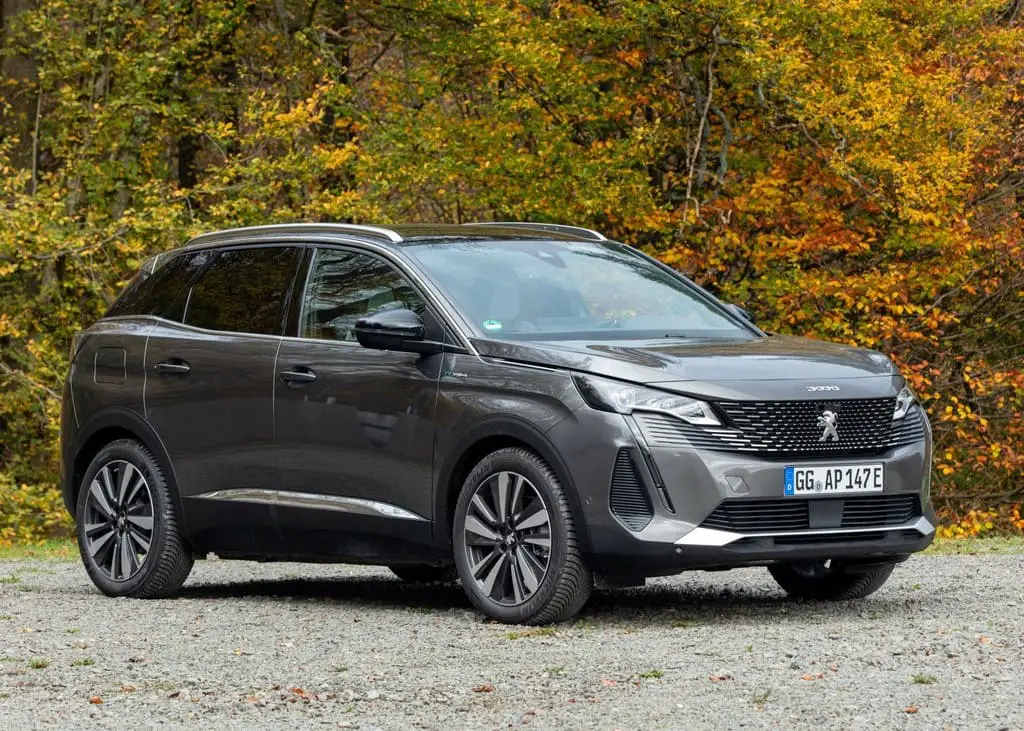

2021-2022 Peugeot 3008 Keys and Smart Key Operations
A multitude of innovative features adorn the 2021-2022 Peugeot 3008, which is an elegant and sophisticated compact SUV equipped with smart key and cutting-edge key technology. Peugeot has made every effort to ensure the comfort and safety of its customers by equipping these sophisticated key systems.
In conclusion, the key and smart key systems of the 2021-2022 Peugeot 3008 demonstrate Peugeot’s dedication to providing consumers with a safe and comfortable driving experience. In addition to streamlining routine activities, these sophisticated key technologies offer an extra level of safeguarding for your vehicle, all while encased in an aesthetically pleasing and sophisticated package. The Peugeot 3008 exemplifies the ongoing evolution of contemporary automotive technology in order to satisfy the needs and desires of contemporary motorists.
Remote control / Key
Remote control function

Depending on version, the remote control can be used to perform the following remote functions:
- Unlocking/Locking/Deadlocking the vehicle.
- Remote operation of lighting.
- Folding/Unfolding the door mirrors.
Activating/Deactivating the alarm.
Locating the vehicle.
Closing the windows.
Activating the vehicle’s electronic immobiliser. Back-up procedures allow the vehicle to be locked/unlocked in the event of a failure of the remote control, the central locking, the battery, etc. For more information on the Back-up procedures, refer to the corresponding section.
Built-in key
The key built into the remote control can be used for the following operations, depending on version:
- Unlocking/Locking/Deadlocking the vehicle.
Activation/Deactivation of the manual child lock.
Activation/Deactivation of the front passenger airbag.
Back-up Unlocking/Locking of the doors. To eject the key or put it back in place, pull and hold the button.
Once the built-in key is ejected, always keep it with you to be able to carry out the corresponding back-up procedures
Unlocking the vehicle
 Selective unlocking is configured in the Driving/Vehicle touchscreen menu.
Complete unlocking
- Press the unlocking button.
- Selective unlocking
Driver’s door and fuel filler/charging flap - Press the unlocking button.
- Press it again to unlock the other doors and the boot.
- The charging nozzle can be unplugged on the second press.
Complete or selective unlocking and alarm deactivation is confirmed by the flashing of the sidelamps and/or daytime running lamps. - Depending on version, the door mirrors unfold.
Selective unlocking and opening of the tailgate
By default, selective unlocking of the tailgate is deactivated and its motorised operation is activated.
- Press and hold this button to unlock the boot and trigger the motorised opening of the tailgate.
When selective unlocking of the tailgate is activated, the doors and the fuel filler flap remain locked.
If selective unlocking of the tailgate is deactivated, pressing the button unlocks the whole vehicle.
If motorised operation of the tailgate is deactivated, pressing the button partially opens the tailgate.
To lock the vehicle, it is necessary to close the tailgate again.
 Locking the vehicle
Normal locking
- Press the locking button.
The locking, and the activation of the alarm depending on the version, is confirmed by the lighting of the direction indicators. Depending on the version, the door mirrors fold.
An access (door or boot) that is not properly closed prevents the locking of the vehicle. However, if the vehicle is fitted with an alarm, it will be activated after 45 seconds. - If the vehicle is unlocked but the doors or boot are not subsequently opened, the vehicle will automatically lock itself again after about 30 seconds. If the vehicle is fitted with an alarm, it will be reactivated automatically.
Deadlocking
Deadlocking renders the interior door controls inoperative. It also disables the central locking button.
The horn remains operational.
Never leave anyone inside the vehicle when it is deadlocked.
Press the locking button again within 3 seconds to deadlock the vehicle (confirmed by the temporary lighting of the direction indicators). Closing the windows
Holding the locking button pressed for more than 3 seconds closes the windows.
When closing windows, ensure that no person or object could prevent their correct closure.
To leave the windows partly open on versions with alarm, you must first deactivate the interior volumetric monitoring.
For more information on the Alarm, refer to the corresponding section.
Locating the vehicle
Helps you to locate your vehicle from a distance, with the vehicle locked:
-
- The direction indicators or sidelamps and/or daytime running lamps, depending on version, flash for approximately 10 seconds.
- The door mirror spotlamps come on.
- The courtesy lamps come on.
- Press this button.
Remote lighting of the lamps
The availability of this function depends on the version.
Press this button. The sidelamps dipped beam headlamps, number plate lamps and door mirror spotlamps come on for 30 seconds.
- Advice
Remote control
The remote control is a sensitive, high-frequency device; avoid handling it in your pocket, due to the risk of unintentionally unlocking the vehicle.
Avoid pressing the remote control buttons while out of range of the vehicle, due to the risk of rendering the remote control inoperative. It would then be necessary to reset it.
The remote control does not work when the key is in the ignition switch, even when the ignition is switched off.
Anti-theft protection
Do not modify the electronic vehicle immobiliser, as this might result in malfunctions.
For vehicles with a key ignition switch, remember to remove the key and turn the steering wheel to engage the steering lock.
Locking the vehicle
Driving with the doors locked could make it more difficult for the emergency services to enter the passenger compartment in an emergency.
As a safety precaution, remove the key from the ignition or take the electronic key with you when leaving the vehicle, even for a short time.
Purchasing a second-hand vehicle
Have the key codes memorised by a PEUGEOT dealer, to ensure that the keys in your possession are the only ones able to start the vehicle.
Keyless Entry and Starting

This system allows the unlocking, locking and starting of the vehicle, while carrying the electronic key on your person in the recognition zone A.
Unlocking the Vehicle


Selective unlocking is deactivated by default.
Complete unlocking
The vehicle (doors and boot) unlocks:
- Either automatically as the driver approaches in zone B, if the automatic functions are activated.
Or by gently pressing the driver’s door handle or the button on the boot.
Unlocking, and alarm deactivation (depending on the version), is confirmed by the flashing of the sidelamps and/or daytime running lamps. Depending on version, the door mirrors unfold.
If the electronic key remains around the vehicle (zones A or B) for more than 15 minutes without action, the automatic functions are deactivated. To unlock or lock the vehicle, use the remote control or press one of the door handles.
If using the door handle does not lock/unlock the vehicle, bring the electronic key closer and repeat the desired action.
Selective unlocking
Driver’s door and fuel filler/charging flap They unlock:
- Either automatically when approaching the driver’s door, if the automatic functions are activated.
Or by gently pressing the driver’s door handle.
Once inside the vehicle, to unlock all accesses, press the central locking button or pull the opening control on any door.
Selective unlocking of the boot
The boot unlocks automatically as you approach the rear of the vehicle.
- Press the tailgate control to open the boot.
The doors remain locked.
Locking the vehicle
Normal locking

With the doors and boot closed, the vehicle locks:
- Either automatically, upon leaving zone A, if the automatic functions are activated.
Or by gently pressing the driver’s door handle.
Locking is confirmed by the lighting of the direction indicators, and by an audible signal when the vehicle is locked upon walking away. It is not possible to lock the vehicle if the electronic key is left inside the vehicle.
For safety and theft protection reasons, never leave the electronic key in the vehicle, even when you are close to it.
Deadlocking
Deadlocking renders the interior door controls inoperative. It also deactivates the central locking button.
The horn remains operational.
Never leave anyone inside the vehicle when it is deadlocked.

- Gently press the driver’s door handle to lock the vehicle.
Press it again within 3 seconds to deadlock the vehicle (confirmed by the temporary lighting of the direction indicators).
If one of the doors or the boot is still open or if the electronic key for the Keyless
Entry and Starting system has been left inside the vehicle, central locking will not take place.
If the vehicle is unlocked but the doors or boot are not subsequently opened, the vehicle will automatically lock itself again after about 30 seconds. If the vehicle is fitted with an alarm, it will be reactivated automatically.
The automatic door mirror folding
unfolding function is configured via the touch screen’s Driving/Vehicle menu.
As a safety measure, never leave the vehicle, even for a short time, without taking the Keyless Entry and Starting system’s electronic key with you.
Be aware of the risk of theft of the vehicle if the key is present in one of the defined areas while the vehicle is unlocked.
In order to preserve the battery in the electronic key and the vehicle’s battery:
- The unlock on approach function (zone B) automatically switches to standby mode after several days (approximately one week) without being used. To unlock the vehicle, use the remote control or press on one of the front door handles. The next time the vehicle is started, the automatic unlocking and locking functions will be reactivated.
If the welcome lighting is triggered several times in succession without the vehicle subsequently being started, it will be deactivated.
All “hands-free” functions switch to extended standby mode after 21 days of non-use. To restore these functions, unlock the vehicle using the remote control and start the engine.
Electrical interference
The electronic key may not operate if close to certain electronic devices such as telephones (switched on or on standby) or laptop computers, strong magnetic fields, etc.
Central locking

Manual
- Press this button to lock/unlock the vehicle (doors and boot) from inside the passenger compartment.
The indicator lamp comes on to confirm the central locking of the vehicle. - Central locking does not take place if any of the doors are open.
When locking/deadlocking from the outside
When the vehicle is locked or deadlocked from the outside, the indicator lamp flashes and the button is deactivated.
- After normal locking, pull one of the interior door controls to unlock the vehicle.
After deadlocking, you must use the remote control, the “Keyless Entry and Starting” system or the built-in key to unlock the vehicle. -
FAQs
To gain access to the vehicle, the keyless entry system enables one to approach it while carrying the key fob in a pocket or purse. It employs proximity sensors to identify the presence of the key device.
Indeed, it is possible to replace the key fob’s battery on your own. Refer to the owner’s manual for specific guidance on the procedure.
Keyless start enables the engine to be started by simultaneously applying pressure to the brake pedal and the “Start” button located on the dashboard, provided that the key fob is still inside the vehicle.
In the event that the smart key battery dies, the Peugeot 3008 is equipped with a mechanical key blade concealed within the key fob that can be used to manually activate and start the vehicle.
In most cases, the programming of key fobs requires the assistance of a Peugeot dealership or a certified automotive locksmith.
Depending on the features you wish to modify, the smart key can be used to access the cockpit controls or the infotainment system of the vehicle.
Consult a Peugeot dealership prior to incorporating supplementary functions or accessories into the smart key in order to guarantee compatibility and correct installation.
Immediately contact a Peugeot dealership if you misplace your key transmitter. They are able to assist you in replacing and reprogramming the misplaced key transmitter.
Indeed, it is possible to momentarily disable these functionalities within the vehicle’s settings should security concerns arise.
The Peugeot 3008’s smart key system is extremely secure, as it employs authentication and encryption protocols to prevent unauthorised access.
Verify that the key fob’s battery is not dead if the keyless start is not functioning. Consult the owner’s manual and contact a Peugeot dealership for further assistance if the problem persists.
While some automobile models may provide smartphone applications for remote start functionality, this attribute may not be universally accessible.
Indeed, the Peugeot 3008 frequently permits the association of driver-specific profiles and settings with distinct smart keys, thereby offering an individualised driving experience for every individual.
Please have your smart key inspected, repaired, or replaced at a Peugeot dealership if it becomes damaged or malfunctioning.
It is crucial to verify compatibility with other Peugeot models by contacting the dealership or consulting the owner’s manual, as smart key technology may differ between models.
Useful Link
View Full PDF : Peugeot 3008 2021-2022 User Manual| Auto User Guide
2021-2022 Peugeot 3008 Instrument Panels Guide